




What computer accessories actually cost in Bangladesh
The hard part is not choosing a brand. It is working out whether the thing you need is a ৳ 500 purchase or a ৳ 50,000 one, because "computer accessories" covers both. Right now the computer accessories price in Bangladesh runs from about ৳ 420 for a wired optical mouse to ৳ 390,000 for a compact gaming mini PC.
Below is what each band buys you, which specifications change the decision, and the local realities — mains power, warranty channel, spare parts — that decide whether a purchase lasts three months or five years.
Price bands: computer accessories price in BD 2026
| Band | Tier | Who it suits | Example | Price |
|---|---|---|---|---|
| ৳ 420 – ৳ 3,500 | Entry peripherals | Replacing a broken mouse or keyboard, first home Wi-Fi | A4Tech OP-330 wired USB optical mouse | ৳ 420 |
| ৳ 3,500 – ৳ 20,000 | Everyday upgrades | Faster home internet, a first printer, a budget board | Pantum BP2310 mono laser printer | ৳ 12,800 |
| ৳ 20,000 – ৳ 70,000 | Core hardware | Small offices, students, a first serious build | Asus NUC 14 Essential mini PC | ৳ 35,000 |
| ৳ 70,000 – ৳ 130,000 | Performance | Gaming builds, design work, all-day portable machines | Lenovo IdeaPad Slim 5i OLED laptop | ৳ 97,500 |
| ৳ 130,000 and above | Workstation | Rendering, simulation, multi-GPU and studio work | Asus Pro WS WRX90E-SAGE SE workstation motherboard | ৳ 199,500 |
Use the price filter above to lock a ceiling before you browse. It is the single fastest way to cut a 1,100-product category down to a shortlist you can actually compare.
The specs that actually change the decision
Router: Wi-Fi standard and band count
Wi-Fi 6 is enough for a flat with one or two people streaming. Wi-Fi 7 helps when eight or more devices are live at once, or when your line is faster than 100 Mbps. Tri-band matters in a three-bedroom flat with concrete walls; in a single room it is money spent on nothing. What this means for you: below a 100 Mbps connection, buy the cheaper standard and spend the difference on placement.
Suggested product
Printer: laser or inkjet
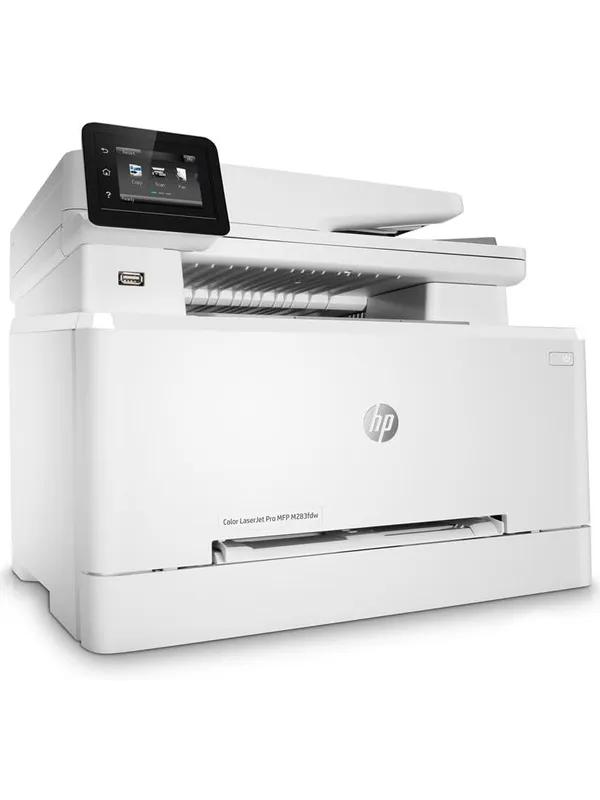
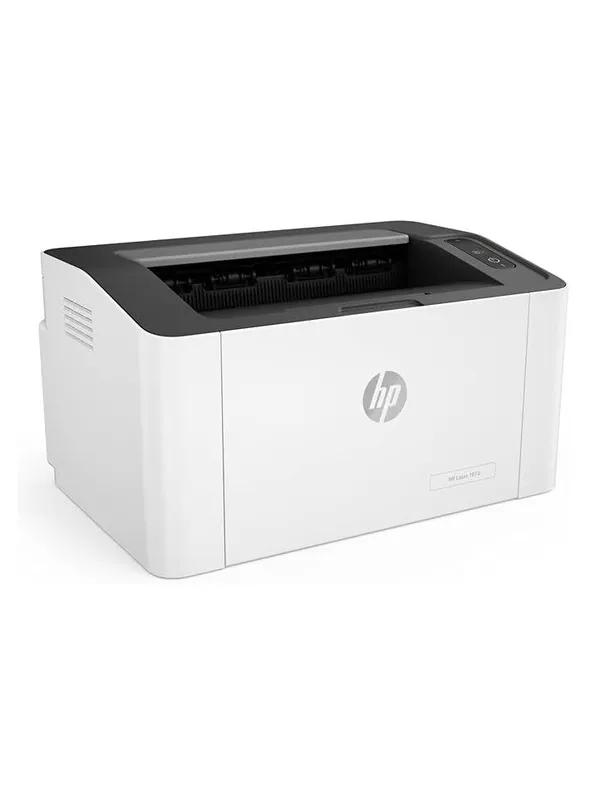
Laser wins for text and for anyone who prints in bursts, because toner does not dry out between jobs. Inkjet wins only if you genuinely need colour photos. If your household prints fewer than about 30 pages a month, an idle inkjet will clog and cost you a head clean. What this means for you: for CVs, forms and assignments, mono laser is cheaper per page and far less trouble.
Suggested product
Motherboard: socket before anything else
A board is only compatible with one CPU socket. LGA1700 takes 12th to 14th generation Intel; LGA1851 takes the Core Ultra series; AM5 takes current Ryzen. Micro-ATX suits a small case and two RAM slots; ATX gives you four slots and room to expand. What this means for you: pick the CPU first, then filter boards by its socket — never the reverse.
Suggested product
Asus PRIME B760M-F LGA1700 micro-ATX motherboard at ৳ 14,700
Laptop: RAM and storage, in that order
8GB RAM handles browsing, documents and video calls. 16GB is the honest minimum if you keep twenty tabs open or edit anything. Storage below 512GB fills within a year on Windows. Many thin models solder the RAM, so what you buy is what you keep for the machine's life. What this means for you: check upgradability before you save ৳ 5,000 on a lower RAM version.
Suggested product
Mini PC or all-in-one for a small office
A mini PC draws roughly a third of the power of a tower, which matters when you are running off an IPS during load-shedding. Barebone models ship without RAM or SSD, so budget another ৳ 8,000 to ৳ 15,000. An all-in-one bundles a 23.8-inch screen and clears the desk. What this means for you: for a two-desk office, a mini PC plus a separate monitor is usually the cheaper route.
Suggested product
Mouse and keyboard: switch type and grip
Membrane keyboards are quiet and cheap. Mechanical boards last longer and let you pick a feel — linear for gaming, tactile for typing. On mice, DPI above 3,200 changes almost nothing for office work; hand size and shape decide comfort. What this means for you: if you type more than four hours a day, a mechanical board is the better ৳ 3,000 than a higher-DPI mouse.
Suggested product
Brand landscape in this category
Brand share is uneven by subcategory, and no brand here leads everywhere. This is what the current catalogue actually looks like.
| Brand | Strongest in | Honest read |
|---|---|---|
| Pantum | Laser printers in Bangladesh | Deepest mono laser range from ৳ 12,800. Toner is widely stocked. Not the choice for photo printing. |
| Asus | PC components and motherboards | Covers ৳ 14,700 boards to ৳ 199,500 workstation platforms, plus mini PCs. Wide, so read the model tier carefully. |
| Lenovo | Laptops in Bangladesh | Strongest budget-to-mid laptop ladder, from ৳ 37,650 upward. Thin models often have soldered RAM. |
| Cudy | Networking devices and routers | Aggressive on Wi-Fi 7 pricing — ৳ 7,800 for a mesh unit. Smaller service footprint than the big networking names. |
| A4Tech | Everyday PC accessories | Holds the category floor at ৳ 420. Fine for a spare or a second desk; not built for eight-hour daily use. |
Budget-band picks
Under ৳ 1,000
৳ 420 – ৳ 999
- A4Tech OP-620D optical mouse — ৳ 499
- Best band for a spare mouse, a cable, or a second-desk fill-in
Under ৳ 10,000
৳ 3,000 – ৳ 9,999
- Cudy WR3600 Wi-Fi 7 mesh router — ৳ 7,800
- The band where home internet genuinely improves
Under ৳ 50,000
৳ 10,000 – ৳ 49,999
- Lenovo IdeaPad 1 14-inch laptop — ৳ 37,650
- Asus Z890 AYW gaming Wi-Fi motherboard — ৳ 43,200
Above ৳ 50,000
৳ 50,000 +
- Asus NUC 13 Pro Core i5 mini PC — ৳ 61,500
- Asus ROG STRIX Z890-F gaming motherboard — ৳ 67,500
Buying computer accessories in Bangladesh: what actually matters locally
Mains power is the biggest killer of hardware here
Voltage in many Dhaka and Chattogram neighbourhoods swings well outside the 220V nominal, and a swing is what usually takes out a power supply or a printer board — not age. A servo stabiliser sized at roughly double your load protects a desktop plus a monitor. Add a UPS on top if you need clean shutdown time rather than surge protection; the two devices do different jobs and one does not replace the other.
Load-shedding, IPS and laser printers
Laser printers draw a heavy current spike when the fuser heats. That spike will trip most household IPS units and can damage a cheap modified-sine inverter. Keep a laser printer on mains only, and put your router and PC on the IPS instead. A mini PC is a real advantage here — its lower draw stretches the same battery much further than a tower would.
Official versus unofficial warranty
An official warranty is honoured by the brand's appointed local distributor, who holds spare stock and can escalate to the manufacturer. An unofficial or grey unit is guaranteed by whoever imported it, which usually means a shorter term, repair instead of replacement, and no cover if that importer stops trading. Before you pay, ask three things: who is named as the warranty provider, how long the term runs, and whether a claim is handled by replacement or repair. Get the answer in writing on the invoice.
Service centres, spares, EMI and delivery
Authorised service coverage in Bangladesh clusters in Dhaka and Chattogram. If you are outside those cities, factor in courier time each way before choosing a brand with thin local presence. Card EMI is commonly available on higher-value items, and cash on delivery plus bKash, Nagad and Rocket are standard for smaller ones. Check the EMI tenure and whether the bank charges interest, since a "0%" offer sometimes carries a processing fee instead.
Monsoon humidity and why prices move
Humidity above 80% for weeks at a time corrodes contacts and encourages fungus on optics. Run a machine for at least an hour daily rather than leaving it idle for a fortnight, keep the tower off the floor, and store spare cables and drives with silica packs. On pricing: import duty and the taka's movement against the dollar both feed straight into shelf prices here, which is why the same model can shift by thousands within a quarter. If a price drops sharply, check the warranty channel before assuming it is a bargain.
Common buying mistakes
Buying the board before the CPU
Socket decides compatibility, and an LGA1851 board will never take an LGA1700 chip. Choose the processor, then filter.
Forgetting barebone means empty
A barebone mini PC arrives with no RAM and no SSD. Add ৳ 8,000 to ৳ 15,000 to the sticker before comparing it to a built machine.
Treating a UPS as surge protection
A UPS buys you shutdown time. A stabiliser handles voltage swing. Skipping the second one is how power supplies die here.
Paying for Wi-Fi 7 on a slow line
If your connection is 40 Mbps, no router standard will make it faster. Fix the line first, then the hardware.
Buying an inkjet for occasional use
Idle heads clog. Under about 30 pages a month, a multifunction mono laser printer costs less to keep alive.
Skipping the warranty question
A price that looks too good usually means a grey import. Ask who honours the warranty before you pay, not after it fails.
Choosing 8GB to save ৳ 5,000
If the RAM is soldered, that saving locks the machine's ceiling for its whole life. Check upgradability first.
Ignoring desk space
A 27-inch monitor needs roughly 80cm of viewing distance to be comfortable. Measure before you order, not after.
Frequently asked questions
What is the cheapest computer accessory available in Bangladesh right now?
A basic wired optical mouse sits at the bottom of the range, around ৳ 420. Wired keyboards, cables and mouse pads occupy the same sub-৳ 1,000 band. These are sensible as spares or for a second desk, but a peripheral used eight hours a day is worth spending ৳ 2,000 to ৳ 3,000 on for build quality and comfort.
Is a Wi-Fi 7 router worth buying in Bangladesh?
Only if your broadband is faster than about 100 Mbps or you have many devices competing at once. Wi-Fi 7 mesh units start near ৳ 7,800 and tri-band models reach ৳ 17,300. On a slower line, a ৳ 3,000 Wi-Fi 6 router delivers the same real-world speed, and better placement will help more than the newer standard.
Do I need a UPS or a voltage stabiliser for a desktop in Dhaka?
Usually both, because they solve different problems. A stabiliser holds voltage steady through the swings that damage power supplies, while a UPS gives you a few minutes to save work and shut down during an outage. If you can only buy one, the stabiliser prevents more expensive failures over time.
How do I tell whether a warranty is official?
Ask who is named as the warranty provider on the invoice. An official warranty names the brand's appointed distributor in Bangladesh and states a term, typically one to three years depending on the product. If the seller cannot name a provider, or offers only a short shop guarantee, treat it as an unofficial import and price it accordingly.
Can I buy computer accessories on EMI in Bangladesh?
Card EMI is widely available on higher-value items such as laptops, printers and mini PCs, with tenures commonly running from three to twelve months. Smaller purchases usually settle by cash on delivery or mobile wallet. Confirm whether the offer is genuinely interest-free or carries a bank processing fee before you commit.
Laser or inkjet for a home printer?
Laser, unless you specifically need colour photographs. Mono laser models start around ৳ 12,800, cost less per page, and tolerate long gaps between jobs because toner is a powder. Inkjet heads dry out when idle, which is a real problem for a household that prints only occasionally.
Is a mini PC a sensible replacement for a desktop tower?
For office work, browsing and video calls, yes. Mini PCs from ৳ 35,000 draw far less power, which matters during load-shedding. The trade-offs are limited internal expansion and, on barebone models, the extra cost of RAM and an SSD. For gaming or heavy rendering, a tower still gives more performance per taka.
How do I protect computer accessories during the monsoon?
Run the machine for at least an hour every day rather than leaving it idle for weeks, since the internal heat keeps moisture down. Keep the tower raised off the floor, store spare cables and drives with silica gel, and avoid pressing a damp cloth onto ports. Fungus on camera and scanner optics is the most common humidity casualty.
Narrow it down now
Set a price ceiling in the filter above, pick your subcategory, then compare two models side by side — the ৳ 3,000 Wi-Fi 6 router against the ৳ 7,800 Wi-Fi 7 mesh unit is the clearest example of where the extra money does and does not buy speed. Still weighing a full machine? Compare the desktop PC range in Bangladesh against a monitor plus mini PC before deciding.