



Microsoft Surface Price in Bangladesh: Choose the Shape Before the Spec
Every Microsoft Surface runs full Windows on a tall 3:2 touchscreen, so the real question behind the Microsoft Surface price in Bangladesh is not which model is fastest. It is which shape of computer you are paying for: the small tablet-first Surface Go, the detachable Surface Pro, or the clamshell Surface Laptop.
Each family costs noticeably more than the one below it. That step up is only worth paying if the extra shape fits your day, whether that means drawing on the screen, typing long reports on your lap, or carrying one light device between classes and client calls.
If all you need is a capable Windows machine for the least money, compare every laptop brand on ClickBD before deciding. Surface earns its price through design, screen quality and pen input, not through raw power per taka. The sections below cover current listings, the three families side by side, a spec guide, and the Bangladesh checks that stop expensive surprises.
Microsoft Surface Laptop Price List on ClickBD
These are the Surface models listed on ClickBD right now. The selling shop sets each price and it moves with stock, so treat this table as a snapshot and confirm on the product page before you order.
| Model | Family | Key specs (from listing) | Price |
|---|---|---|---|
| Microsoft Surface Go 3 Platinum 4GB/64GB | Go (tablet) | Intel 6500Y, 4GB RAM, 64GB SSD, 10.5-inch PixelSense | ৳ 105,000 |
| Microsoft Surface Pro 9 Core i5 1235U | Pro (2-in-1) | Intel Core i5 1235U, 8GB RAM, 256GB SSD, 13-inch | ৳ 145,000 |
| Microsoft Surface Laptop 7 Copilot+ PC 7th Edition | Laptop (clamshell) | Copilot+ PC, Platinum finish | ৳ 185,000 |
Look at what each step buys. The Pro 9 costs ৳ 40,000 more than the Go 3 but brings double the memory, four times the storage and a Core i5 chip, which is a far bigger jump in daily usefulness. The Laptop 7 adds a built-in keyboard and the Copilot+ AI hardware on top.
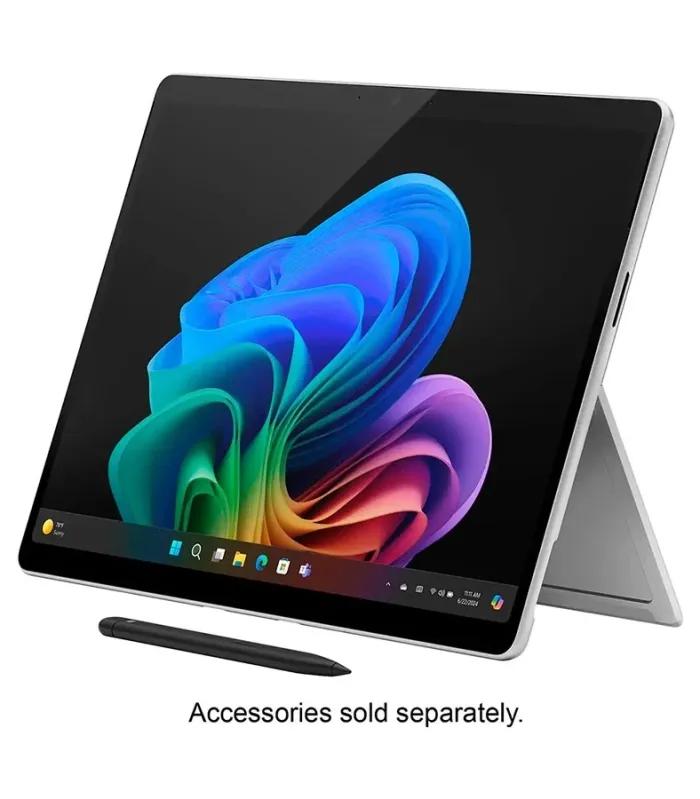
Remember that the Go and the Pro are usually sold without a keyboard. Price the Type Cover, a pen and a spare charger among computer accessories before comparing totals.
Surface Go vs Surface Pro vs Surface Laptop: Which Family Fits You
The three families share a design language but solve different problems. Match the family to how you actually hold and use a computer, then worry about the processor.
Surface Go: the light note-taker
A 10.5-inch screen and a body light enough to hold in one hand make the Go feel like a tablet first. It is comfortable for reading, handwritten notes, email and online classes.
Its low-power chip and small memory struggle once you open many browser tabs or run a video call beside heavy apps. It works best as a second device.
Surface Pro: tablet by day, laptop by night
A built-in kickstand, detachable keyboard and pen support let one device switch between drawing, reading and typing. The 13-inch screen gives real working space.
A Core i5 U-series chip handles office work, multitasking and light photo editing. On a soft lap it is less steady than a clamshell.
Suggested
Surface Laptop: the everyday workhorse
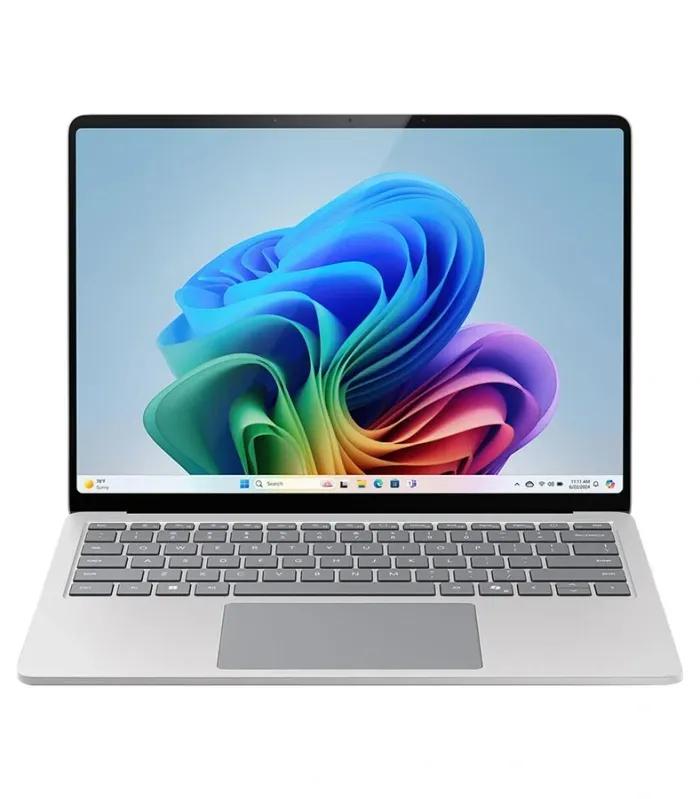
A fixed keyboard and hinge make it stable on a lap, a bus seat or a crowded desk. You still get a touchscreen, just no detaching.
Copilot+ PC models add a dedicated AI processor for on-device features such as live captions and image tools. Writers, office staff and students who type a lot suit it best.
Suggested
How to Read Surface Specs: Processor, RAM, Storage and Screen
Surface listings pack a lot into one title. This table explains what each part means in daily use and when paying for more makes sense.
| Spec | What to look for | When to pay for more |
|---|---|---|
| Processor | Intel Core i5 or i7 gives the widest app compatibility. Snapdragon chips in Copilot+ PCs trade some compatibility for longer battery life and on-device AI. Pentium-class chips suit light work only. | Choose i7 or a higher Snapdragon tier for coding, heavy spreadsheets or photo work. |
| RAM | 8GB is the practical floor for Windows today. 16GB keeps browser, Office and video calls smooth together. | RAM is soldered, so buy 16GB if you plan to keep the device four years or more. |
| Storage | 64GB and 128GB fill up quickly once Windows updates arrive. 256GB suits most buyers. | Go for 512GB if you keep photos, videos or offline course material. |
| Screen | The 3:2 shape shows more of a document than a 16:9 screen. All Surface screens are touch. | Pay for a larger or faster-refresh screen if you design, draw or edit all day. |
| Pen input | Go and Pro models support the Surface Pen. Check the listing for other models. | Worth it for students who annotate slides and for sketching. |
Surface is not the only premium route. If macOS appeals, weigh it against the Apple MacBook range. If you want Windows with more ports and easier repairs, business lines among Lenovo laptops often trade some elegance for flexibility.
Surface for Students, Freelancers and Office Work
Your daily routine matters more than the spec sheet. Here is how each type of buyer usually lands.
Students
Laptop or Pro
- Note-taking and assignments
- 8GB RAM minimum, 256GB storage
- Go only as a reading tablet
Freelancers
Laptop
- Client calls and long typing
- 16GB RAM for many tabs
- Check your key software first
Designers and note-takers
Pro with pen
- Drawing directly on screen
- Budget for the pen
- Larger storage for files
Office and business
Laptop
- Stable on any desk
- Good webcam for meetings
- Ask about seller warranty
If your budget cannot stretch to a Surface, a plain Windows machine still does the job. Dell laptops, HP laptops and Asus laptops cover the same study and office tasks for less, without the touchscreen and premium build.
Buying a Surface in Bangladesh: Warranty, Power and Accessories
Warranty and import source
Microsoft does not run its own service centre network in Bangladesh the way some laptop brands do, so warranty usually comes from the selling shop or its distributor. Ask in writing who honours the warranty, for how long, and whether repairs happen in Dhaka, Chattogram or abroad.
Read the ClickBD customer policy and the returns and cancellation rules before you pay, and keep the invoice with the serial number on it.
Power cuts and voltage
Surface chargers accept 100 to 240 volts, so they work on Bangladeshi mains, though you may need a plug adapter. During load-shedding the battery keeps you running, but plug into a surge protector because voltage spikes when power returns can damage the charger.
Humidity and the monsoon
Damp air is hard on ports and keyboards. Store the device in a closed bag with a silica gel pack during the rainy months, and never charge a device that has been caught in rain until it is fully dry.
Keyboards, Bangla typing and payment
Type Covers come in US and other layouts; the US layout is easiest to find locally. Bangla typing works through free software such as Avro. ClickBD accepts bKash, Nagad and cash on delivery; for EMI or other payment questions, check the ClickBD help FAQ or ask the seller.
Six Surface Buying Mistakes to Avoid
Forgetting the keyboard
Pro and Go models rarely include one. Add the Type Cover before comparing a Pro with a Surface Laptop.
Buying 4GB RAM for real work
It handles notes and reading. Office work, many tabs and video calls need 8GB at least.
Assuming every app runs on Snapdragon
Most do. Some old printer drivers, VPN tools and niche engineering software do not. Check first.
Expecting gaming power
Integrated graphics and low-power chips are built for battery life, not modern 3D games.
Ignoring the warranty source
A lower price from an unclear import can cost more after one repair. Get warranty terms in writing.
Choosing 64GB storage
Windows updates alone eat much of it. 256GB is the sensible minimum for daily use.
Microsoft Surface FAQs
What is the Microsoft Surface price in Bangladesh?
Microsoft Surface prices in Bangladesh rise by family: the tablet-first Surface Go is the entry point, the Surface Pro 2-in-1 sits in the middle, and the clamshell Surface Laptop is at the top. Within each family, more RAM, more storage and a newer processor push the price higher. The price table on this page lists every Surface currently on ClickBD with its exact taka price.
Is Microsoft Surface good for students?
Yes, Surface suits students who take notes, write assignments and join online classes, because it is light, has a sharp touchscreen and lasts through a long day. Choose a Surface Laptop or a Surface Pro with at least 8GB RAM and 256GB storage. A Surface Go with 4GB RAM handles notes and reading but slows down with many browser tabs open.
Is a Surface laptop good for gaming?
No, Surface is a poor choice for gaming. Most models use integrated graphics and low-power processors tuned for battery life and quiet running, so modern 3D games run at low settings or not at all. Some competitive games with anti-cheat software also do not support Snapdragon-based Surface models. If gaming matters, choose a laptop with a dedicated graphics card instead.
What is the difference between Surface Pro and Surface Laptop?
The Surface Pro is a tablet with a kickstand and a detachable keyboard, while the Surface Laptop is a traditional clamshell with a fixed keyboard. The Pro is better for pen drawing, note-taking and reading in tablet mode. The Laptop is steadier on your lap, better for long typing sessions, and needs no separately bought keyboard.
Does the Surface Pro come with a keyboard?
Usually not. Surface Pro and Surface Go models are normally sold as the tablet only, and the Type Cover keyboard and Surface Pen are separate purchases. Check the listing and ask the seller exactly what is in the box. Add the keyboard cost to the tablet price before comparing a Pro with a Surface Laptop, which always includes its keyboard.
How much RAM do I need in a Surface?
16GB RAM is the comfortable choice for most Surface buyers, and 8GB is the practical minimum for office work, browsing and video calls. Surface RAM is soldered to the board and cannot be upgraded later, so buy for the next four to five years, not just today. Pick 32GB only for heavy photo editing, huge spreadsheets or virtual machines.
Can a Snapdragon Surface run all Windows apps?
A Snapdragon Surface runs most Windows apps, including Microsoft Office, web browsers and popular creative tools, many natively and others through built-in emulation. Problems appear with some older printer or scanner drivers, certain VPN clients, specialised engineering software and games with anti-cheat systems. If you rely on one specific program, check its Windows on Arm support before buying.
Does Microsoft Surface have official warranty in Bangladesh?
Warranty on a Surface in Bangladesh usually comes from the selling shop or its distributor, not from a Microsoft-run service centre in the country. Before paying, ask the seller who honours the warranty, how long it lasts, what it covers and where repairs are done. Keep the invoice and warranty card, and check the serial number matches the device.
Can I upgrade the RAM or storage in a Surface?
You cannot upgrade RAM on current Surface models because it is soldered in place. Some recent models, including the Surface Pro 9, have a small removable SSD, but replacing it needs a matching M.2 2230 drive and careful handling, and doing it yourself may affect the seller warranty. Buy enough storage at the start to avoid the hassle.
Should I buy a Surface or a MacBook Air?
Buy a Surface if you want Windows, a touchscreen and pen input in a premium body. Buy a MacBook Air if you prefer macOS, want long battery life without touch, and already use an iPhone. For Bangladeshi university software, government forms and most office tools, Windows compatibility often decides it, so check what your course or job requires first.
Narrow It Down on This Page
Scroll back up and use the filters to set your minimum RAM, SSD size and screen size, then open two Surface listings side by side and compare them line by line. Check whether the keyboard is included, confirm the warranty source with the seller, and only then add to cart. If no Surface fits, widen the search to Windows and Mac laptops at every budget. Looking for something beyond laptops? The wider electronics section has the rest of your desk setup.