



Mini PC Price in Bangladesh: Check What Is Missing From the Box First
Mini PC price in Bangladesh on this page runs from ৳ 27,000 to ৳ 510,000 across 15 models, and that spread hides a more important split. Seven of the ASUS listings are barebone kits that arrive without memory, storage or Windows, while the Lenovo and Apple units switch on the day they arrive.
So two machines that look ৳ 20,000 apart can cost about the same once finished. Settle that first, then match the processor to your heaviest daily task, then plan power backup.
If a mini PC turns out to be too limiting, compare tower PCs that accept a graphics card later, or all-in-one PCs with the screen built in.
Mini PC Price List in Bangladesh, Grouped by Band
These four bands come from real gaps in the live prices, not round numbers. Nothing is listed between ৳ 61,500 and ৳ 76,000, or between ৳ 83,000 and ৳ 121,000, and each gap marks a change in who the machine is for.
| Band | Model | What arrives | Price |
|---|---|---|---|
| Entry | ASUS NUC 14 Essential with Intel N97 | Check listing for RAM and SSD | ৳ 27,000 |
| Entry | NUC 14 Essential Core 3 N355 barebone | Barebone | ৳ 40,000 |
| Entry | ASUS NUC 13 Pro Core i3 kit | Barebone | ৳ 46,500 |
| Mainstream | ExpertCenter PN53 with AMD Ryzen 5 7535H | Barebone | ৳ 52,000 |
| Mainstream | ExpertCenter PN64 12th Gen Core i5 | Barebone | ৳ 58,000 |
| Mainstream | NUC 13 Pro 13th Gen Core i5 barebone | Barebone | ৳ 61,500 |
| Upper | ASUS NUC 15 Pro Core Ultra 5 225H | Barebone | ৳ 76,000 |
| Upper | NUC 13 Pro Core i7-13620H | Barebone | ৳ 78,000 |
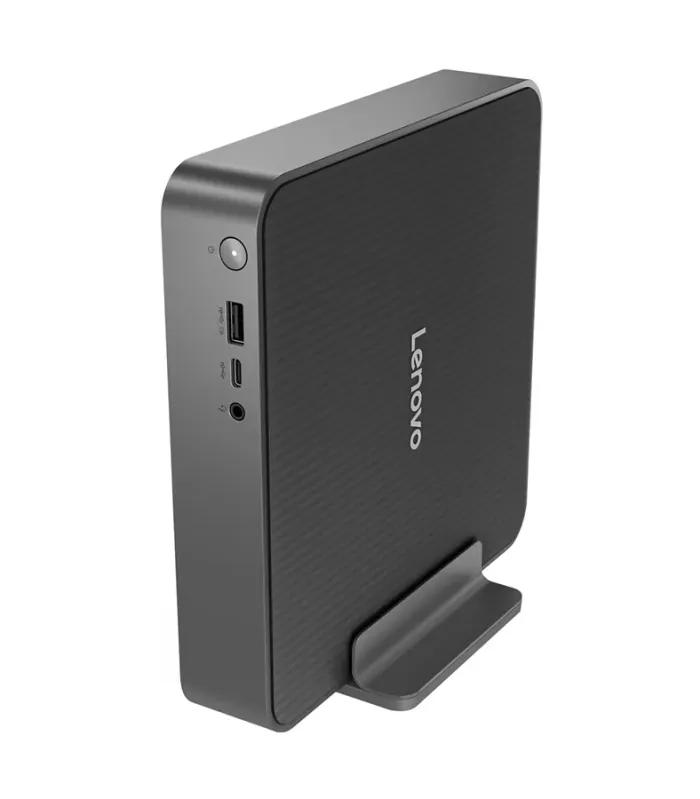
| Upper | Lenovo IdeaCentre Mini with Core 5 210H | Ready: 8GB RAM, 512GB SSD | ৳ 81,500 |
| Upper | Mac Mini M4 (2024) | Ready: 16GB, 256GB SSD | ৳ 83,000 |
| Specialist | Mac Mini M1 (2020) | Ready: 8GB, 512GB SSD | ৳ 121,000 |
| Specialist | Mac Mini M2 (2023) | Ready: 8GB, 512GB SSD | ৳ 226,750 |
| Specialist | Mac Pro with Intel Xeon E5 | Ready: 32GB, 256GB SSD | ৳ 271,000 |
| Specialist | ASUS ROG NUC gaming mini PC with RTX 5070 Ti | Ready: 16GB, 1TB SSD | ৳ 418,000 |
| Specialist | Mac Studio M1 Ultra | Ready: 64GB, 1TB SSD | ৳ 510,000 |
Two things stand out. The Mac Mini M4 costs less than both older Mac Minis listed here while carrying twice their memory, and the ROG NUC is the only model with a separate graphics chip.
Barebone vs Ready-to-Use Mini PC: What You Actually Pay
A barebone kit gives you the processor, motherboard, cooling and case. You add laptop-size memory, an M.2 NVMe drive and an operating system yourself, and the machine will not start until all three are in.
When a barebone is the better buy
If you already own spare memory or an SSD, or your office installs its own Windows image, a barebone stops you paying for parts twice. It also lets you fit 16GB or 32GB from day one instead of living with whatever a ready unit ships with.
When a ready unit wins
Compare the ৳ 61,500 NUC 13 Pro Core i5 kit with the ৳ 81,500 Lenovo IdeaCentre Mini. The ৳ 20,000 gap has to cover memory, a 512GB drive and a licence, so price RAM and SSD components before deciding. For many buyers the finished totals land close, and the Lenovo carries one warranty for the whole machine.
The ৳ 27,000 NUC 14 Essential N97 listing is not labelled barebone, so open its product page and confirm exactly what is included before comparing it with anything else.
Which Mini PC Fits Your Job
Match the processor to the heaviest task you run every day.
Study and home browsing
Online classes, documents, streaming and light photo edits run comfortably on an Intel N-series chip. Treat 8GB as the floor and pair it with a 22 to 24-inch screen.
Suggested
ASUS NUC 14 Essential N97 at ৳ 27,000
Office desk and accounting
Tally, ERP, large spreadsheets and all-day video calls want a Core i5 or Core Ultra 5 with 16GB.
Suggested
NUC 13 Pro Core i5 kit at ৳ 61,500, or Lenovo IdeaCentre Mini at ৳ 81,500 ready to run
Billing counter and POS
A shop counter runs one program for ten hours straight. Look for enough USB ports for a scanner, receipt printer and cash drawer, plus wired LAN, and check the port list on the product page.
Suggested
NUC 14 Essential Core 3 N355 kit at ৳ 40,000
Signage and TV screens
Menu boards, queue displays and lobby screens need HDMI, low heat and steady all-day running. Mount the unit behind the display where the model supports a bracket, so nobody unplugs it.
Suggested
Either NUC 14 Essential, from ৳ 27,000
Development and heavy multitasking
Virtual machines, containers and fifty browser tabs need more cores and room for 32GB. A barebone is ideal here, because you choose the memory size instead of upgrading later.
Suggested
NUC 13 Pro Core i7-13620H at ৳ 78,000, or the AMD PN53 at ৳ 52,000
macOS creative work or gaming
Final Cut, Logic and Xcode need a Mac, and the M4 is the sensible entry. Modern games need a real graphics chip, which only one mini PC here has.
Suggested
Mac Mini M4 at ৳ 83,000; ROG NUC at ৳ 418,000 for games
ASUS, Apple or Lenovo Mini PC: How the Brands Split Here
Three brands cover all 15 listings. Read this as a map of what is in stock, not a quality score.
| Brand | Listings | Price span | Strongest for | Watch out for |
|---|---|---|---|---|
| ASUS NUC and ExpertCenter mini PCs | 9 | ৳ 27,000 – ৳ 418,000 | Windows buyers who want a choice from N-series to Core i7, plus the only gaming model | Seven of nine are barebone |
| Apple Mac Mini and Mac Studio range | 5 | ৳ 83,000 – ৳ 510,000 | macOS users who want quiet, low-power machines | Memory fixed for life; older models priced above the M4 |
| Lenovo IdeaCentre mini PC | 1 | ৳ 81,500 | Offices that want one ready unit and one invoice | Single configuration with 8GB |
Intel and AMD make the processors, not the mini PCs. The ExpertCenter PN53 is the only AMD Ryzen model here.
Using a Mini PC in Bangladesh: Power, Heat and Warranty
Load-shedding and your UPS
Low power draw is the real local advantage. An N-series or Core i5 mini PC with a 22-inch monitor typically draws well under 100 watts at office load, so the same 650VA UPS that gives a tower 10 to 15 minutes usually stretches much further. Most units run from an external power brick, so plug the brick into the UPS, not just the monitor.
Heat, dust and the monsoon
Small fans clog faster than big ones. Keep the vents open, lift the unit off dusty floors, and never shut it inside a drawer or sealed cabinet during humid months.
Warranty wording and invoices
ASUS, Apple and Lenovo all have official support channels in Bangladesh, but terms vary by listing and importer. Check whether the page says brand or seller warranty, keep the invoice with the serial number, and remember that parts you add to a barebone carry their own separate warranties.
Why prices move
Exchange rates and import costs shift mini PC prices month to month. Treat the live product page as the only current price.
Six Mistakes That Make a Cheap Mini PC Expensive
Comparing kit prices with finished ones
A ৳ 46,500 barebone and an ৳ 81,500 ready unit are not ৳ 35,000 apart. Add memory, storage and Windows to the kit before you compare.
Settling for 8GB on a work machine
On a Mac Mini, 8GB is permanent. On a barebone you choose, so choose 16GB if the machine will run a browser and a spreadsheet together.
Paying more for an older Mac
The M1 at ৳ 121,000 and the M2 at ৳ 226,750 both cost more than the newer M4 at ৳ 83,000, with half its memory.
Expecting games from integrated graphics
Fourteen of these fifteen models share memory with the processor for graphics. Fine for esports titles at low settings, not for new releases.
Forgetting the screen and peripherals
None of these ship with a display. Budget for a monitor to pair with your mini PC and a keyboard and mouse from computer accessories.
Hiding it in a closed cabinet
A mini PC tucked in a sealed drawer throttles in summer heat and collects dust in weeks. Give it air on at least two sides.
Mini PC FAQs for Bangladesh Buyers
What is the mini PC price in Bangladesh?
Mini PC prices in Bangladesh on ClickBD run from ৳ 27,000 to ৳ 510,000 across 15 listings. The ASUS NUC 14 Essential with an Intel N97 is the entry point at ৳ 27,000, office-grade ASUS NUC barebones sit between ৳ 46,500 and ৳ 78,000, and the Mac Studio M1 Ultra marks the top. The Mac Mini M4 at ৳ 83,000 is the cheapest Apple option.
What does barebone mean on a mini PC?
A barebone mini PC includes the case, motherboard, processor and cooling, but no memory, no SSD and no operating system. It will not start until you add all three. Seven of the fifteen listings here are ASUS barebones, including the NUC 13 Pro Core i3 at ৳ 46,500 and the NUC 15 Pro Core Ultra 5 at ৳ 76,000.
Is a barebone mini PC cheaper than a ready-to-use one?
Not always, once you finish it. The ASUS NUC 13 Pro Core i5 barebone costs ৳ 61,500 but still needs memory, an NVMe SSD and a Windows licence. The Lenovo IdeaCentre Mini with a Core 5 210H, 8GB RAM and a 512GB SSD costs ৳ 81,500 ready to run. Price the missing parts first, then compare the two totals.
Can a mini PC replace a desktop computer?
Yes, for office work, study, billing counters and media playback. A Core i5 or Core Ultra 5 mini PC such as the ASUS NUC 15 Pro at ৳ 76,000 handles spreadsheets, accounting software and video calls comfortably. It cannot take a full-size graphics card later, so choose a tower instead if you plan to add one.
Is a mini PC good for gaming?
Only one model here is built for it: the ASUS ROG NUC with a Core Ultra 9 275HX and an RTX 5070 Ti at ৳ 418,000. Every other listing uses integrated graphics, which manages older and esports titles at low settings but not modern big-budget games. For gaming on a smaller budget, a tower with a separate graphics card is better value.
Which Mac mini should I buy in Bangladesh?
Buy the Mac Mini M4 unless you need something specific. At ৳ 83,000 with 16GB of unified memory, it is newer and cheaper here than the M1 model at ৳ 121,000 and the M2 model at ৳ 226,750, which both have 8GB. Memory cannot be upgraded later on any Mac mini, so choose the capacity at purchase.
How long will a UPS keep a mini PC running?
Noticeably longer than it keeps a tower running. An N-series or Core i5 mini PC with a 22-inch monitor typically draws well under 100 watts at office load, so a 650VA UPS often gives around 20 to 30 minutes instead of 10 to 15. Battery age and monitor size change the result, so treat this as a planning estimate.
Does a mini PC come with a monitor, keyboard and mouse?
No. Every mini PC in this category is sold as the computer unit only, and the seven ASUS barebones also leave out memory and storage. Plan for a separate monitor, keyboard, mouse and UPS. Check the port list on the product page before choosing a monitor, so the cable you need is the one you buy.
Which mini PC is best for office work?
For most offices, the Lenovo IdeaCentre Mini at ৳ 81,500 is the simplest choice because it arrives with a Core 5 210H, 8GB RAM and a 512GB SSD. If your IT person prefers to fit their own parts, the ASUS NUC 13 Pro Core i5 barebone at ৳ 61,500 gives similar processing power for less money upfront.
Can I connect a mini PC to a TV?
Yes, through HDMI, which makes a mini PC a practical media or signage box. The ASUS NUC 14 Essential N97 at ৳ 27,000 is enough for streaming, presentations and menu-board screens. Mount it behind the TV if the model supports a bracket, and check the HDMI version on the product page if you plan to run 4K.
Narrow the Grid Above
Set the price filter to your finished budget, including memory, storage and Windows if you are looking at a barebone. Then open two models side by side, such as the NUC 13 Pro Core i5 and the Lenovo IdeaCentre Mini, and compare what arrives in the box, the ports and the warranty wording.
Need to carry your computer? Compare laptops with a built-in battery. Want every desktop shape on one page? Browse all desktop PCs in Bangladesh.