


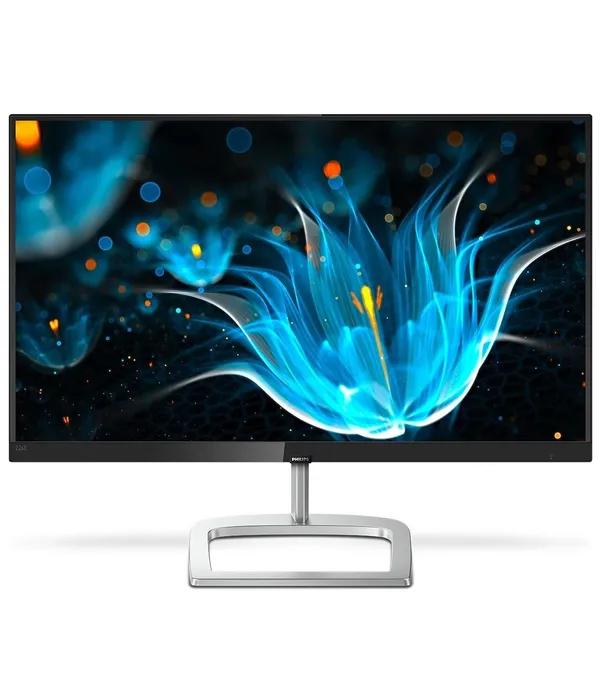


What a monitor costs in Bangladesh right now
The monitor price in Bangladesh runs from ৳ 8,500 for an 18.5-inch HD office panel to ৳ 301,500 for a colour-calibrated 4K OLED, across the 121 listings above. Most people buying today land between ৳ 15,000 and ৳ 30,000.
The decision that traps almost everyone is the same one: whether to spend the extra ৳ 6,000 on a bigger screen, a faster panel, or a sharper resolution. You usually cannot have all three at one price. This page settles which of the three is worth paying for in your situation — and which one you can drop without noticing.
Monitor price bands in Bangladesh
Five bands cover the whole catalogue. Find the row that matches your budget, then use the size and panel filters above to narrow it further.
| Band | Tier | Who it suits | Example | Price |
|---|---|---|---|---|
| ৳ 8,500 – ৳ 14,999 | Entry | Second screens, shop counters, CCTV, first student desk | LG 22MP400-B 22 inch Full HD | ৳ 10,960 |
| ৳ 15,000 – ৳ 24,999 | Everyday | Full working days, study, spreadsheets, light gaming | ViewSonic VA2732A-H 27 inch 120Hz IPS | ৳ 21,599 |
| ৳ 25,000 – ৳ 49,999 | Gaming and creator | High refresh rate, curved, first 4K panels | ViewSonic Omni VX2758A-2K-PRO 27 inch 240Hz QHD | ৳ 43,200 |
| ৳ 50,000 – ৳ 99,999 | High-end | Ultrawide, 32-inch 4K, factory-calibrated colour | ViewSonic VP2756-4K 27 inch 4K UHD IPS | ৳ 77,400 |
| ৳ 100,000 and above | Professional | Studio colour work, OLED, 5K reference panels | LG 27EP950-B UltraFine OLED Pro 4K | ৳ 301,500 |
The specs that actually change your decision
Six things move the price. Everything else on a spec sheet is noise until these are settled.
Screen size and viewing distance
Measure from your eyes to where the screen will sit. Under 60 cm, 22 inches is comfortable and 27 is too close to see in one glance. At 60 to 75 cm — a normal desk — 24 inches is the sweet spot. Past 75 cm, or on a deep desk, 27 inches earns its price. A 32-inch panel wants about a metre and starts to need 4K to stay sharp.
Suggested product
Resolution: Full HD, 2K QHD or 4K
Full HD is right up to 24 inches. On a 27-inch screen it starts to look soft, so 2K QHD is the honest minimum there. 4K makes sense at 32 inches and above, or on a 27-inch panel if you edit photos or read code all day. Buying 4K for a 24-inch screen is money you will not see.
Suggested product
Panel type: IPS, VA, TN and OLED
IPS holds colour steady from any angle and is the safe default for mixed work and play. VA gives deeper blacks, which suits films and dim rooms, but smears slightly in fast dark scenes. TN is cheap and quick and looks washed out from the side. OLED is the best picture you can buy and the one that needs the most care about static desktop images.
Suggested product
HP M22f 21.5 inch Full HD IPS panel monitor — ৳ 15,600
Refresh rate and response time
100Hz to 120Hz is now the baseline, and the jump from 60Hz is obvious even when you are only scrolling a page. 144Hz to 180Hz is the point where competitive shooters feel different. Above 240Hz you are paying for the last few milliseconds. Response time matters less than the number suggests — anything at 5 ms or under is fine outside esports.
Suggested product
ViewSonic VA24G1-H 24 inch 144Hz IPS gaming monitor — ৳ 17,700
Ports, cables and what your PC can drive
This is where paid-for specs quietly disappear. HDMI 1.4 tops out around 120Hz at 1080p and 30Hz at 4K, so 144Hz or 4K at 60Hz needs HDMI 2.0 or DisplayPort. A laptop can only run a monitor over one USB-C cable if that port supports DisplayPort Alt Mode — check the laptop, not the monitor. And confirm your graphics card can actually push the resolution before you pay for it.
Suggested product
Asus ZenScreen MB169CK 16 inch USB-C portable monitor — ৳ 24,400
Eye care and stand adjustment
Flicker-free backlighting and a low blue light mode are worth having if you are at the desk more than six hours. A matte anti-glare coating matters more than either in a bright Dhaka flat. The most underrated feature is height adjustment: a screen that sits too low bends your neck all day, and a stand that only tilts cannot fix that.
Suggested product
Asus VU249HFI-W 24 inch eye care IPS monitor — ৳ 24,200
Which monitor brands to shortlist in Bangladesh
Three brands carry the deepest ranges in this category — LG, Asus and ViewSonic — and between them cover almost every band. The rest are worth shortlisting for specific reasons rather than in general. No brand leads at everything, so pick by what you are buying, not by the badge.
| Brand | Strongest at | Watch out for |
|---|---|---|
| LG monitors in Bangladesh | The widest spread here — office panels under ৳ 15,000 through UltraGear gaming to UltraFine OLED Pro | Older MK and MP series models are still listed; check the refresh rate, not just the price |
| Asus gaming and ProArt monitors | TUF for high refresh on a budget, ProArt for colour work, ZenScreen for portable | Model names run close together; VA249 and VA279 differ by size, not generation |
| ViewSonic IPS and ColorPro displays | Best value per hertz in the ৳ 14,000–30,000 range, plus ColorPro for calibrated work | The VA, VX and VP lines target very different buyers despite similar names |
| Dell business monitors and HP office displays | Ergonomic stands, long product lifecycles, easy corporate procurement | You pay a premium for the stand and the build, not for speed |
| Gigabyte gaming monitors and MSI curved displays | Curved and high-refresh gaming panels at aggressive prices | Stands are usually tilt-only; budget for an arm if you want height |
| Acer budget monitors and Philips displays | Acer holds the price floor; Philips is strong on 4K and ultrawide business panels | The cheapest Acer models are HD, not Full HD — read the resolution twice |
Best monitors by budget
Four brackets, with what each one realistically buys you and a live pick from the grid above.
Tight budget
৳ 8,500 – ৳ 12,000
- 18.5 to 22 inches, HD or Full HD, 60–75Hz
- Right for a shop counter, a CCTV feed or a second screen
- Acer KA222Q 21.5 inch Full HD monitor — ৳ 9,500
- Realview RV215GW 22 inch 100Hz IPS — ৳ 11,000
Student and home office
৳ 12,000 – ৳ 20,000
- 24 inches, Full HD IPS, 100–144Hz — the best value bracket in the catalogue
- Sharp text, honest colour, comfortable for eight-hour days
- MSI Pro MP251 24.5 inch 100Hz IPS — ৳ 19,690
- Asus TUF VG249Q5R 23.8 inch 200Hz — ৳ 20,900
Serious gaming
৳ 25,000 – ৳ 45,000
- 27 inches, 165–240Hz, curved or 2K QHD
- Only worth it if your graphics card can hold the frame rate
- Gigabyte GS27FC 27 inch 180Hz curved monitor — ৳ 29,400
- ViewSonic VX2719-PC-MHD 27 inch 240Hz curved — ৳ 32,000
Creative and professional
৳ 50,000 and above
- Calibrated colour, 4K, ultrawide or OLED
- Buy for accuracy and workspace, not for frame rate
- Asus ProArt PA278QGV 27 inch 2K QHD professional monitor — ৳ 50,900
- ViewSonic VX3418C-2K 34 inch UWQHD ultrawide — ৳ 56,500
Buying a monitor in Bangladesh: warranty, power and delivery
These are the parts a global buying guide cannot tell you, and they decide whether the monitor is still working in three years.
Official warranty versus seller warranty
Official warranty means the brand's authorised distributor in Bangladesh honours the claim at their own service centre. Seller or importer warranty means the shop honours it — which works until the shop no longer stocks that brand. Ask which one you are getting before you pay, and get the warranty class written on the invoice, not just said across a counter. On a ৳ 40,000 panel this is the difference between a repair and a write-off.
Ask about the dead-pixel policy specifically. Most manufacturers only replace a panel above a stated number of dead or stuck pixels, and a single dead pixel usually is not covered. Check the screen on a plain white and a plain black image on the day it arrives, while a return is still straightforward.
Voltage fluctuation, IPS backup and load shedding
Monitors sold here use switching power supplies that tolerate a wide input range, so a stabiliser is rarely essential — but if your line sags visibly when the AC starts, a stabiliser or a decent surge protector is cheap insurance on a large panel. What actually kills monitors is the spike when grid power returns, not the low voltage itself.
Most home IPS units output a modified sine wave. A monitor will usually run on one, but a cheap inverter can cause an audible buzz from the panel or occasional flicker. If you work through load shedding, a pure sine wave inverter is the safer pairing. On draw: a 24-inch Full HD panel typically uses around 20 to 25 watts, while a 32-inch 4K can pull three times that — which matters when you are sizing backup runtime.
Monsoon humidity and where you put the desk
Humidity does not damage a monitor in use, because the panel runs warm enough to stay dry. The risk is a screen left switched off for weeks in a closed room during monsoon, where moisture can settle behind the bezel. Run it for an hour every few days, keep it off an exterior wall that sweats, and never sit it directly under a window where rain blows in.
EMI, delivery and service centres
EMI terms vary by seller and by card, so confirm the tenor and whether there is an interest component before you commit. Delivery to Dhaka and Chattogram is straightforward; for other districts, ask about packaging, since a panel is fragile in transit and a cracked screen is not a warranty claim. Authorised service centres for the major brands are concentrated in Dhaka and Chattogram, which is a real argument for choosing a brand with local presence if you live elsewhere.
One more local factor: import duty and exchange rates move monitor prices more than product cycles do. A panel that cost ৳ 22,000 last year may sit at ৳ 25,000 now with no change to the hardware. If a price looks unusually low against the rest of the band, check the warranty class before assuming it is a bargain.
Eight mistakes that cost buyers money
Pairing a fast panel with a slow card
A 240Hz screen shows you exactly as many frames as your graphics card produces. Spend the difference on the card first.
Buying 27 inches for a shallow desk
At 55 cm your eyes travel across the screen constantly. A 24-inch panel at the same price is the better screen for that desk.
Assuming the cable in the box is enough
Many monitors ship with HDMI only. If you bought 144Hz or 4K, budget for a DisplayPort cable and check the version.
Confusing HD with Full HD
The cheapest listings are 1366×768, not 1920×1080. Text looks noticeably rougher. Read the resolution, not the inches.
Ignoring the stand
A tilt-only stand cannot be raised, and stacking books under a monitor is how neck pain starts. Check for height adjustment or plan for an arm.
Picking VA for a bright room
VA's deep blacks are wasted in daylight, and its off-angle shift is worse. In a bright room, an IPS panel is the safer buy.
Not asking which warranty it is
Official and seller warranty are priced almost the same and are not remotely the same thing. Ask, and get it on the invoice.
Mixing two different screens
For a dual setup, match size, resolution and height. Two mismatched panels are more annoying to use than one good one.
Monitor price in Bangladesh: common questions
What is the lowest monitor price in Bangladesh right now?
The lowest listing in this category is ৳ 8,500, for an 18.5-inch to 19.5-inch HD panel suited to a shop counter, a CCTV feed or a basic second screen. For a Full HD screen you will actually enjoy working on, budget from about ৳ 11,000, and for Full HD IPS at 24 inches, from about ৳ 14,500.
Which monitor size is best for office work and study?
A 24-inch Full HD IPS panel is the best all-round choice for a normal desk, where your eyes sit 60 to 75 cm from the screen. It gives sharp text without forcing you to turn your head, and it is the deepest, most competitive price band in the catalogue. Move to 27 inches only if your desk is deeper.
Is 100Hz enough, or do I need 144Hz?
For office work, study, video and casual gaming, 100Hz to 120Hz is plenty, and the step up from 60Hz is the one you actually notice. Go to 144Hz or higher only if you play competitive shooters and have a graphics card that can sustain those frame rates. Otherwise the money is better spent on panel quality.
IPS, VA or TN — which panel should I choose?
Choose IPS for anything mixed: accurate colour, stable viewing angles, comfortable for long days. Choose VA if you mainly watch films in a dim room and want deeper blacks. Choose TN only if you are buying purely for esports speed on a tight budget. For most buyers in Bangladesh, IPS is the right answer.
Do I need a stabiliser or a UPS for my monitor?
A stabiliser is rarely essential, since monitor power supplies tolerate a wide voltage range. It is worth adding on an expensive panel if your supply visibly dips, mainly to absorb the spike when grid power returns. Monitors run on most home IPS units, but a pure sine wave inverter avoids buzzing and flicker.
What is the difference between official and seller warranty?
Official warranty is honoured by the brand's authorised distributor at their own service centre in Bangladesh. Seller warranty is honoured by the shop, which is only as durable as the shop's relationship with that brand. Confirm which one applies before paying and have the warranty class written on your invoice.
Can my laptop run a 4K monitor over one cable?
Only if the laptop's USB-C port supports DisplayPort Alt Mode — many charging-only USB-C ports do not. Over HDMI, 4K at 60Hz needs HDMI 2.0; HDMI 1.4 will connect but cap you at 30Hz, which feels sluggish. Check the laptop's port specification before buying the monitor, not after.
Is a curved monitor worth buying in Bangladesh?
A curve helps on screens of 32 inches or wider, and on 34-inch ultrawides it genuinely reduces eye travel. On a 24-inch or 27-inch panel the effect is mild and mostly cosmetic. If you are choosing between a curved 27-inch and a flat panel with a better spec at the same price, take the better spec.
Narrow it down from here
Set the price filter above to your band, then pick a size — 24 inch if your desk is normal, 27 if it is deep — and sort by refresh rate. If two models are close, open both and compare panel type and stand adjustment; that is usually where the difference is. Building the whole setup? See laptops in Bangladesh, the wider computers and accessories range, televisions in Bangladesh if the screen is for a living room, or DSLR cameras if the monitor is for editing what you shoot.