


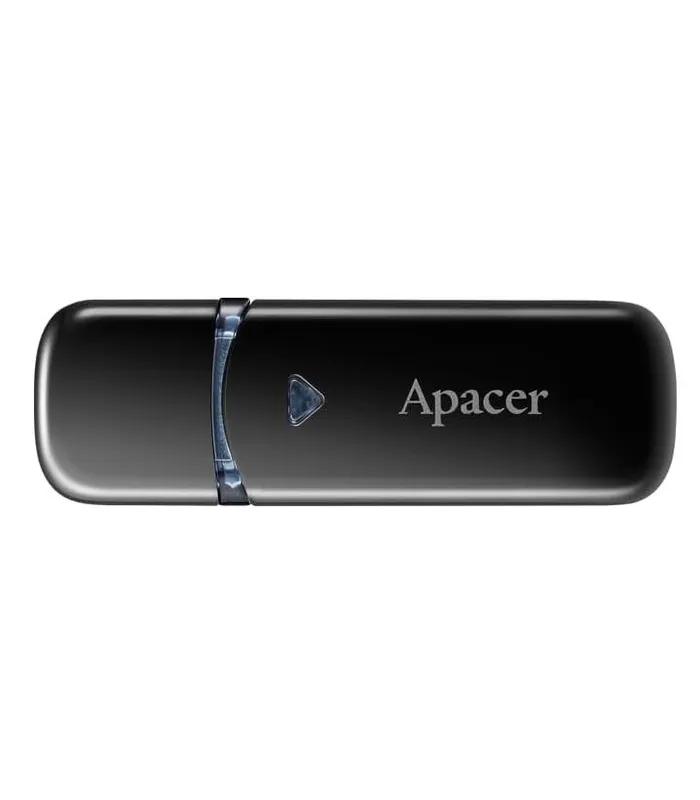

Pen drive price in Bangladesh: what the range actually buys you
The pen drive price in Bangladesh on this page runs from ৳ 800 to ৳ 5,899 across 33 listings, and almost every buyer gets stuck in the same place: spend the extra money on more capacity, or on more speed. Both cost real money and only one of them will matter to you.
The floor is the Dahua U156 64GB metal-body drive at ৳ 800; the ceiling is the PNY Elite-X 512GB at ৳ 5,899. Seven times the price for eight times the capacity — this market is priced fairly rather than in tiers built to upsell you.
A pen drive is the right tool for moving files between computers. To expand a phone or a camera you want memory cards in Bangladesh, and for hundreds of gigabytes external hard disks cost far less per gigabyte. Use the capacity and connector filters above first.
Pen drive price by capacity: 32GB to 512GB
This table maps each capacity to what it currently costs here, using only listings with a published price. Five 32GB drives are listed but none of them shows a live price right now, so that row is left honest rather than filled with a guess.
| Capacity | Live price range | Priced models | What it holds |
|---|---|---|---|
| 32GB | No published price | 0 of 5 listed | Documents, slides, a few hours of video |
| 64GB | ৳ 800 – ৳ 1,000 | 7 | A full semester of coursework plus photo backups |
| 128GB | ৳ 1,300 – ৳ 2,600 | 7 | Video projects, software installers, phone backups |
| 256GB | ৳ 3,050 – ৳ 3,499 | 2 | Raw photo shoots, 4K footage, archive folders |
| 512GB | ৳ 5,899 | 1 | A working drive you never have to clear out |
Notice the gaps: nothing between ৳ 1,000 and ৳ 1,300, ৳ 1,700 and ৳ 2,200, or ৳ 2,600 and ৳ 3,050. Those stretches are where the market changes gear. If your budget lands inside one, round up — the drive above the gap is meaningfully better, the one below is simply cheaper.
The 128GB band is the widest. The Hiksemi Blade at ৳ 1,300 and the SanDisk Ultra Luxe CZ74 at ৳ 2,600 hold identical data. The doubled price buys a metal shell and faster sustained writes, not one extra gigabyte.
USB 2.0, 3.0 and 3.2: what the speed labels really mean
USB version naming is genuinely confusing, and several Bangladeshi shop pages quote figures that are simply wrong. Here is what the labels on these listings actually promise.
USB 2.0 — 480 Mbps
Roughly 30MB per second in practice, and slower still with thousands of small documents. Fine for coursework, painful for video.
USB 3.0 and 3.2 Gen 1 — 5 Gbps
These two names describe one standard — the industry renamed it twice. Every priced drive in this category sits in this class.
USB 3.2 Gen 2 — 10 Gbps
Double Gen 1, and rare in pen drives at this price. If a listing claims 20 Gbps for a standard flash drive, treat it as marketing rather than measurement.
Read speed is the easy half
Manufacturers advertise read speed because it is the flattering number. Reading is fast on almost any modern controller, which is why nearly every listing quotes it.
Write speed decides your day
Writing is where cheap flash collapses, sometimes under 10MB per second after the first few hundred megabytes. Silence on write speed usually means the write speed is unremarkable.
Your port sets the ceiling
A fast drive in an old USB 2.0 port runs at USB 2.0 speed. Check the ports on the machine you use most before paying extra for speed — on many older desktop PCs only the rear ports are USB 3.x.
Type-A, Type-C, OTG and dual connectors
Start with the ports you own, not with the drive. Type-A is the rectangular plug that fits nearly every desktop, older laptop, smart TV and car stereo in Bangladesh. Type-C is the small reversible plug on modern phones and thin laptops. One connector alone eventually means hunting for an adapter.
Dual-connector drives solve this by putting both plugs on one body, and they are the sensible default if you split time between a phone and a computer. The Hiksemi Sync 128GB with Type-A and Type-C at ৳ 1,500 and the slimmer Hiksemi Dual Slim 128GB at ৳ 1,700 are the two dual models with live prices here.
OTG is separate. A Type-C plug lets the drive fit your phone; OTG support in the phone lets it read the drive. Most Android handsets sold here in the last five years support it, but budget models sometimes ship with it disabled. Cap, swivel and retractable bodies are taste, though a lost cap is the commonest way a good drive dies.
Why a working drive fails on a TV or car stereo
Nine times out of ten it is the file system, not the drive. Windows formats large drives as NTFS, and most televisions, car head units and older players cannot read NTFS at all. Reformat as exFAT and it works nearly everywhere while still handling files over 4GB. FAT32 is the most compatible but refuses any single file above 4GB, which rules out most films.
Pen drive brands available on ClickBD
Ten brands appear in this category. No single one wins on everything, and a shop page that tells you otherwise is selling, not advising.
| Brand | Listings here | Where it is genuinely strong |
|---|---|---|
| Apacer pen drives | 7 | Widest model choice, including Type-C OTG; none priced at present |
| Hiksemi flash drives | 5 | Dual-connector 128GB models at the lowest prices in that band |
| PNY USB drives | 4 | The only drives here with published read and write figures |
| ADATA pen drives in Bangladesh | 4 | Steady 64GB value; the UC310 ECO line uses recycled plastics |
| Transcend flash drives | 4 | Long-standing 256GB option with a strong repair reputation locally |
| SanDisk pen drive price in BD | 3 | Metal-bodied Ultra Luxe; the most widely recognised name here |
| Kingston pen drives | 2 | Both models priced and in stock; the safest first-time purchase |
| TwinMOS pen drives | 2 | Entry pricing for light, occasional use |
| Lexar JumpDrive models | 1 | A single 64GB USB 3.0 drive at ৳ 850 |
| Dahua pen drives | 1 | Holds the category floor price with a metal body |
Above the entry band, brand matters less than buyers assume — all ten source flash from the same handful of fabricators. Where it matters is warranty handling, and that varies by importer rather than by logo.
What to buy at each budget
Four bands, drawn from where the live prices actually cluster rather than from round numbers.
Students and light use
৳ 800 – ৳ 1,000
- Every priced 64GB drive sits here
- USB 3.2 Gen 1 throughout, so no speed penalty
- TwinMOS M16 64GB — ৳ 900
- Trade-off: plastic bodies, unpublished write speeds
Phone and laptop users
৳ 1,300 – ৳ 1,700
- 128GB, including both dual-connector models
- The band to pick if you move files off a phone
- Apacer AH25B 128GB — ৳ 1,450
- Trade-off: sustained write speed is still ordinary
Office and daily carry
৳ 2,200 – ৳ 2,600
- Same 128GB, better shells and controllers
- Worth it if the drive lives in a bag with keys
- Kingston DataTraveler Kyson 128GB — ৳ 2,200
- Trade-off: you pay roughly double for zero extra space
Creators and freelancers
৳ 3,050 – ৳ 5,899
- The only 256GB and 512GB drives in the category
- Published write speeds on the PNY models
- Transcend JetFlash 700/730 256GB — ৳ 3,050
- Trade-off: an external disk is cheaper per gigabyte
Buying a pen drive in Bangladesh: capacity checks, warranty and storage
Fake-capacity drives are the real hazard here, and they are easy to catch if you check on delivery day rather than three months later. A counterfeit reports 128GB to your computer while holding perhaps 8GB, then silently overwrites earlier files once it fills.
Verify the capacity before you trust it
Copy enough files to fill it almost completely — a folder of large videos is easiest. Eject it, plug it back in, and open several of the files copied last. If any open as corrupted, the drive is not the size it claims, and you should raise a return while the delivery window is open.
What a warranty in Bangladesh actually covers
Every brand here replaces a drive that stops being recognised. None of them recovers the data on it, and local recovery services quote well above the price of a new drive. Keep the box and the invoice — most importers in Dhaka and Chattogram process claims against the invoice, not a serial number. EMI exists on higher-value electronics, but under ৳ 6,000 the paperwork costs more time than the instalment saves.
Monsoon humidity, dust and heat
Flash memory shrugs off humidity; the exposed contacts do not. Between June and September, condensation on a cold connector pushed into a warm port genuinely causes corrosion, and Dhaka street dust does the rest. Capped or retractable drives survive this far better. Never leave a drive on a dashboard — sustained heat above 60°C degrades the cells long before the plastic shows it.
Five mistakes that cost pen drive buyers money
Chasing a cheap 1TB drive
A 1TB or 2TB pen drive advertised near the price of a 128GB one is a fake-capacity drive, without exception. The highest genuine capacity here is 512GB and it costs ৳ 5,899 for a reason.
Paying for speed the port cannot use
A 220MB/s drive plugged into a USB 2.0 port delivers about 30MB/s. Check your machine's ports first; the upgrade often belongs in a newer laptop rather than the drive.
Buying Type-C only, too early
A Type-C only drive is elegant until you need to hand a file to a colleague on an older desktop. Unless every device you touch is modern, a dual-connector model is the safer purchase.
Keeping the only copy on it
Pen drives fail without warning and give no signs beforehand. Anything that matters should exist in a second place — a laptop, a phone, or cloud storage. Treat the drive as transport, not as an archive.
Over-buying capacity
Most people who buy 256GB never pass 40GB. If your last drive was half empty when you lost it, buy the same size again and spend the difference on build quality instead.
Pen drive questions Bangladeshi buyers ask
What is the price of a pen drive in Bangladesh?
Pen drive prices on ClickBD run from ৳ 800 to ৳ 5,899 across 33 listings. The floor is a Dahua U156 64GB metal drive at ৳ 800 and the ceiling is a PNY Elite-X 512GB at ৳ 5,899. Most buyers land between ৳ 800 and ৳ 2,600, which covers every 64GB and 128GB model currently priced.
How much does a 64GB pen drive cost in Bangladesh?
A 64GB pen drive costs ৳ 800 to ৳ 1,000 on ClickBD, across seven priced models. The Dahua U156 sits at ৳ 800, the Kingston DataTraveler Exodia and Lexar JumpDrive V400 at ৳ 850, and the ADATA UR340 and PNY Elite Turbo Attache 4 at ৳ 1,000. All seven are USB 3.2 Gen 1.
What is the price of a 128GB pen drive in BD?
A 128GB pen drive costs ৳ 1,300 to ৳ 2,600 on ClickBD, across seven priced models. The Hiksemi Blade opens the band at ৳ 1,300 and the SanDisk Ultra Luxe CZ74 closes it at ৳ 2,600. The extra ৳ 1,300 buys a metal body and faster sustained writes, not additional storage space.
How can I check if a pen drive is original?
Copy files totalling the drive's full stated capacity onto it and open every one. A fake-capacity drive reports its advertised size to your computer but holds far less, so the files copied last will open as corrupted or fail entirely. Run this test on the day of delivery, while the return window is still open.
Is USB 3.2 Gen 1 the same as USB 3.0?
Yes, USB 3.2 Gen 1 and USB 3.0 are the same 5 Gbps standard under different names. The industry renamed USB 3.0 to USB 3.1 Gen 1 and then to USB 3.2 Gen 1, without changing the speed. A drive labelled USB 3.2 Gen 1 is not faster than one labelled USB 3.0.
How much storage do I need in a pen drive?
Pick 64GB if you carry documents and photos, 128GB if you carry video. A 64GB drive holds a full semester of coursework with room for photo backups and costs ৳ 800 to ৳ 1,000 here. Move to 128GB at ৳ 1,300 upwards only if you regularly transfer film files or software installers.
Which pen drive brand is best in Bangladesh?
No single brand wins everything, so match the brand to the job. Kingston is the safest first purchase because both its models are priced and stocked. Hiksemi is cheapest for dual-connector 128GB drives. PNY is the only brand here publishing both read and write speeds. SanDisk offers the sturdiest metal bodies.
Does a pen drive work with an Android phone?
Yes, if the drive has a USB Type-C connector and your phone supports OTG. Nearly every Android handset sold in Bangladesh in the last five years supports OTG, though some budget models ship with it switched off. The Hiksemi Sync 128GB at ৳ 1,500 carries both Type-C and Type-A plugs.
Should I buy a pen drive or a memory card?
Buy a pen drive if you move files between computers, a memory card if you expand a device. Pen drives plug straight into a USB port with no reader needed, which suits transferring work between machines. Memory cards go inside phones, cameras, dash cams and drones, where a pen drive simply will not fit.
Can I make a bootable pen drive for Windows?
Yes, any 8GB or larger pen drive can hold a Windows installer. Every drive in this category exceeds that comfortably, and a USB 3.2 Gen 1 model will write the installation files far faster than a USB 2.0 one. Back up the drive first, because creating install media erases everything already on it.
How long does a pen drive last?
A branded pen drive typically lasts five to ten years of normal use. The flash cells wear out after a finite number of writes, but ordinary file transfers use a tiny fraction of that budget. Physical damage to the connector and lost caps end far more drives in Bangladesh than memory wear ever does.
Narrow it down from here
Work through the filters above in this order: capacity first, then connector, then price. That sequence removes the most listings the fastest, because capacity is the decision you are least likely to change your mind about.
If you are between two options, compare the Hiksemi Sync 128GB at ৳ 1,500 against the Kingston Kyson 128GB at ৳ 2,200 — same capacity, and the ৳ 700 difference buys a metal shell instead of a second connector. If neither shape suits the job, the wider data storage devices range and the computer accessories section are the next places to look.