


Lenovo Desktop PC Price in Bangladesh: What Each Budget Buys
The Lenovo desktop PC price in Bangladesh on this page runs from ৳ 31,080 to ৳ 100,500 across nine tower and small-tower listings. That spread hides one real decision: pay now for an SSD and a newer processor, or buy a cheaper hard-drive model and upgrade it yourself later.
Memory rarely separates these machines, because every model except the entry AMD one ships with 8GB RAM. What does separate them is storage type, processor generation, and whether the case is a full tower or a slim SFF box. Get those three right and the right price follows.
If you are still deciding between brands, the wider tower PC range across all brands is a useful benchmark. If you are set on Lenovo, the sections below help you pick a series, a size and a budget band without guessing.
Lenovo Brand PC Price List in BD by Budget Band
These four bands come straight from the current listings, not a generic template. Prices cluster tightly, so the gaps between bands tell you exactly what an extra ৳ 10,000 to ৳ 15,000 buys.
| Band | Model | Processor & RAM | Storage | Price |
|---|---|---|---|---|
| Entry | IdeaCentre 3 AMD Athlon 3050U | AMD Athlon 3050U, 4GB | 1TB HDD | ৳ 31,080 |
| Everyday Core i3 | IdeaCentre 3 07IAB7 Core i3-12100 | Core i3-12100, 8GB | 1TB HDD | ৳ 51,320 |
| Everyday Core i3 | ThinkCentre Neo 50s Gen 4 SFF | Core i3-13100, 8GB | 512GB SSD | ৳ 55,800 |
| Business Core i5 | ThinkCentre Neo 50t Gen 4 tower | Core i5-13400, 8GB | 1TB HDD | ৳ 66,000 |
| Business Core i5 | ThinkCentre Neo 50s SFF Core i5 | Core i5 12th Gen, 8GB | 1TB HDD | ৳ 69,300 |
| Performance | IdeaCentre Tower 08IRR9 Core i5-14400 | Core i5-14400, 8GB | 1TB SSD | ৳ 81,500 |
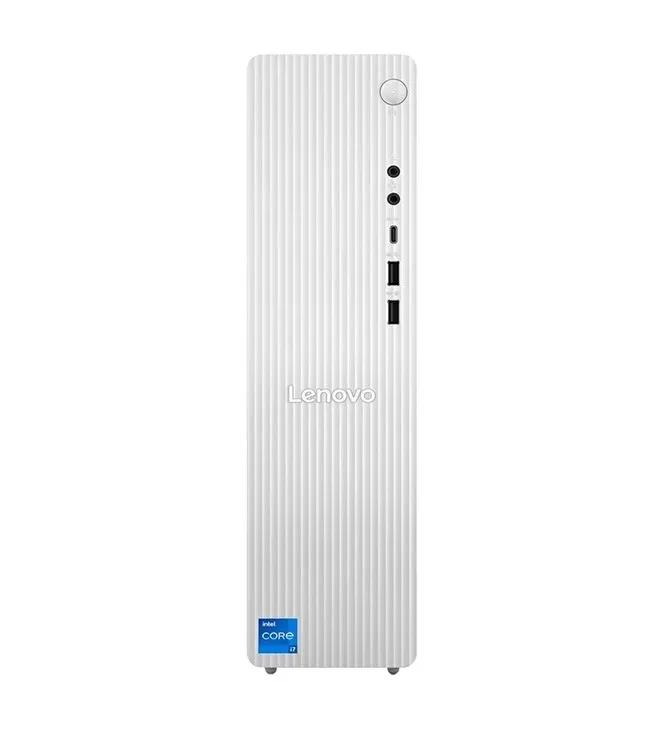
| Performance | IdeaCentre 08IRH9 Core i7-13620H | Core i7-13620H, 8GB | 512GB SSD | ৳ 87,000 |
| Performance | ThinkCentre M70s Gen 3 SFF Core i7 | Core i7-12700, 8GB | 512GB SSD | ৳ 90,000 |
| Performance | IdeaCentre 08IRR9 Core i7-14700 | Core i7-14700, 8GB | 1TB SSD | ৳ 100,500 |
Notice where SSDs arrive. Below ৳ 81,500, only the Neo 50s Gen 4 boots from an SSD; from ৳ 81,500 upward, every model does. If a hard-drive model tempts you on price, add the cost of a 512GB SSD before comparing it with the next band up.
ThinkCentre vs IdeaCentre: Which Lenovo Desktop Series Fits You
Lenovo splits its desktops into two families, and the name tells you who each machine was designed for. Here is how the four series on this page differ in practice.
ThinkCentre Neo 50s and Neo 50t
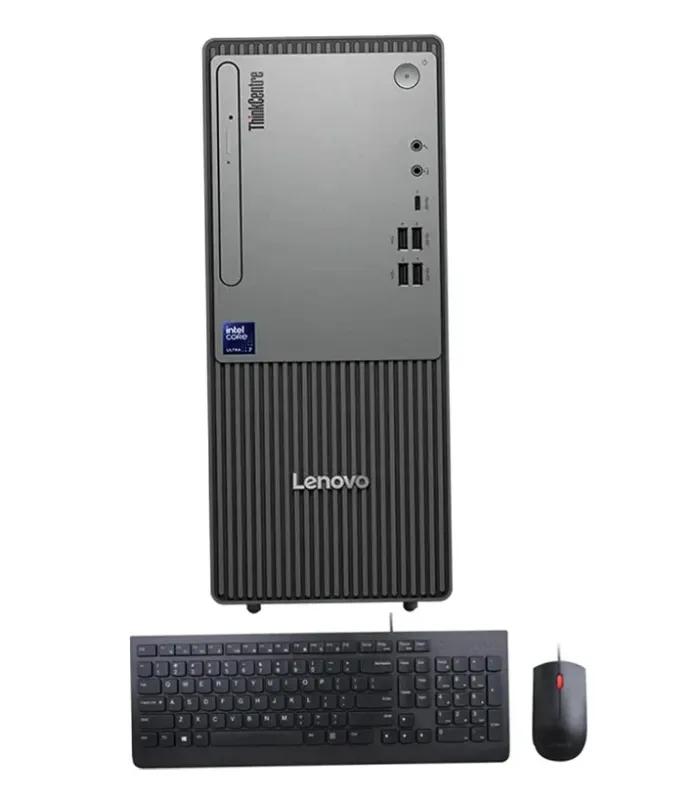
Lenovo's value business line. Plain black cases, business-oriented features and Core i3 or i5 chips make these the default choice for offices, banks and schools buying several units at once. The 50t is the full tower; the 50s is the slim SFF version.
Suggested
ThinkCentre Neo 50t Gen 4 Core i5-13400 at ৳ 66,000
ThinkCentre M70s
A step above the Neo line in Lenovo's business range. The model here pairs a desktop Core i7-12700 with a 512GB SSD in an SFF case, so it suits accountants and analysts who want i7 speed on a crowded desk.
Suggested
ThinkCentre M70s Gen 3 SFF with Core i7-12700 at ৳ 90,000
IdeaCentre 3
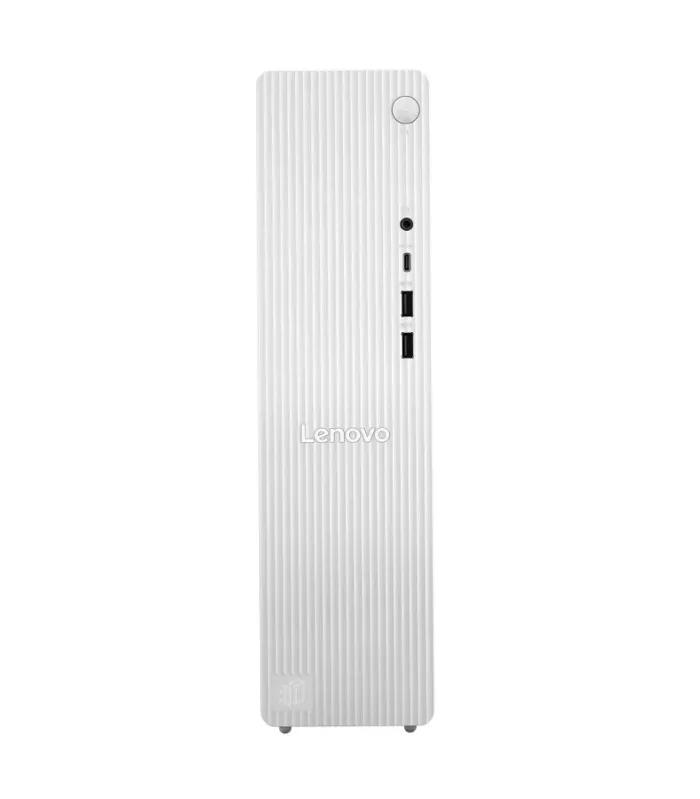
The home and student family. Grey cases and lower prices, with either an AMD Athlon or a 12th Gen Core i3. Fine for online classes, documents and streaming, but both models here use a 1TB hard drive, so boot times are slower.
Suggested
IdeaCentre 3 07IAB7 with Core i3-12100 at ৳ 51,320
IdeaCentre Tower 08 series
Lenovo's performance home tower and the top of this range. The 08IRR9 models use 14th Gen desktop chips with a 1TB SSD. The 08IRH9 uses a Core i7-13620H, an H-series chip designed for laptops, which runs cooler but trails a desktop i7 under long loads.
Suggested
14th Gen IdeaCentre Tower with 1TB SSD at ৳ 81,500
Full Tower vs Small Form Factor (SFF) Lenovo PCs
Three of the nine listings carry "SFF" or "Small Tower" in the name. That one word changes what you can upgrade later, so decide on size before you decide on processor.
| What matters | Full tower (Neo 50t, IdeaCentre Tower) | SFF (Neo 50s, M70s) |
|---|---|---|
| Desk space | Needs floor or wide desk space | Fits beside a monitor or under it |
| Graphics card | Takes most standard cards, subject to PSU | Low-profile cards only |
| Extra drives | Room for additional HDD or SSD | Limited, often one extra slot |
| Airflow in summer heat | Better, more room for air to move | Tighter, keep vents clear of walls |
| Best for | Home users, future gaming or editing upgrades | Offices, reception desks, shared workstations |
If you will never open the case, SFF is the smarter buy for an office. If a graphics card is even a maybe, pick a full tower now; swapping cases later costs more than the size difference saves.
Best Lenovo Desktop for Office, Study and Heavy Work
Match the band to the heaviest task you run every week, not the lightest. These picks use only models listed above.
Light home use
৳ 31,080
- Athlon 3050U IdeaCentre 3 for browsing, typing and YouTube
- Add RAM before running Windows 11 with many apps
Students & front office
৳ 51,320 – ৳ 55,800
- Core i3 IdeaCentre 3 for online classes
- Neo 50s Gen 4 SSD model for fast daily office work
Business multitasking
৳ 66,000 – ৳ 69,300
- Neo 50t Core i5 tower for accounts and ERP software
- Neo 50s SFF with 12th Gen i5 where desk space is short
Creative & heavy work
৳ 81,500 – ৳ 100,500
- Core i7-14700 IdeaCentre 08IRR9 for editing and CAD
- Core i7-13620H IdeaCentre 08IRH9 for quieter multitasking
- Upgrade to 16GB RAM for Photoshop or Premiere Pro
Running a Lenovo PC in Bangladesh: Power, Heat and Upgrades
Load-shedding and voltage dips
A desktop has no battery, so a sudden outage cuts it off mid-save. Pair any Lenovo tower with a UPS sized for the PC and monitor together, and plug the UPS, not the PC, into the wall. A hard drive is more vulnerable to power cuts than an SSD, which is one more reason to prefer SSD models.
Heat, dust and monsoon humidity
Summer rooms above 35°C push small cases hard. Keep SFF models at least a hand's width from walls, and clean dust from vents every few months. In the monsoon, avoid placing the tower on a damp floor; a low stand keeps it clear of moisture and mopping water.
The 8GB RAM and hard-drive question
Most listings here pair 8GB RAM with either a hard drive or a modest SSD. Both are the cheapest upgrades in PC ownership. Adding a second RAM stick or moving Windows to an SSD makes an older-generation model feel new, and you can find the parts in computer accessories and components.
Warranty and genuine stock
Warranty length and who services it vary by seller and model, so read the warranty line on each product page before ordering. Keep your invoice and note the serial number on the case; both are needed for any claim. If you need portability more than expansion, compare these against Lenovo and other laptops at the same budget.
Mistakes Buyers Make With Lenovo Brand PCs
Trusting "Core i7" alone
The Core i7-13620H is a laptop-class H chip and the Core i7-14700 is a full desktop chip. Same badge, very different sustained speed. Read the full model number.
Buying SFF, then wanting a GPU
Slim cases take only low-profile graphics cards. If gaming or 3D work is likely within two years, choose a full tower now.
Ignoring the boot drive
A 1TB hard drive looks generous but boots Windows slowly. Compare the ৳ 66,000 HDD tower with the ৳ 55,800 SSD model before assuming more money means faster.
Running Windows 11 on 4GB
The entry Athlon model works for light use, but 4GB fills quickly with a browser and Office open together. Budget for 8GB from day one.
Skipping the UPS
Load-shedding can corrupt files on a hard drive and stress the power supply. A UPS costs far less than a repair.
Assuming Windows is included
Some brand PCs ship with FreeDOS or no licensed OS. Check the listing and compare other desktop options if an activated Windows copy matters to you.
Lenovo Desktop PC Price in BD: Frequently Asked Questions
What is the price of a Lenovo desktop PC in Bangladesh?
Lenovo tower PCs on ClickBD range from ৳ 31,080 to ৳ 100,500. The floor is the IdeaCentre 3 with an AMD Athlon 3050U and the ceiling is the IdeaCentre 08IRR9 with a Core i7-14700 and 1TB SSD. Most office buyers spend between ৳ 51,320 and ৳ 69,300, which gets a 12th or 13th Gen Core i3 or i5 with 8GB RAM.
Which Lenovo desktop is best for office work?
For most offices, the ThinkCentre Neo 50s Gen 4 SFF at ৳ 55,800 is the best value, because its Core i3-13100 is paired with a 512GB SSD rather than a hard drive. If staff run heavy spreadsheets or several browser tabs with video calls, step up to the Core i5-13400 ThinkCentre Neo 50t Gen 4 at ৳ 66,000 and add an SSD.
Is Lenovo ThinkCentre better than IdeaCentre?
ThinkCentre is better for offices and IdeaCentre is better for homes, rather than one being better overall. ThinkCentre models such as the Neo 50s, Neo 50t and M70s target business buyers with plain black cases and SFF options. IdeaCentre models such as the IdeaCentre 3 and Tower 08IRR9 target home users, and on ClickBD they include the fastest listing, a Core i7-14700 at ৳ 100,500.
What is the cheapest Lenovo brand PC in Bangladesh?
The cheapest Lenovo tower on ClickBD is the IdeaCentre 3 with an AMD Athlon 3050U, 4GB RAM and a 1TB hard drive at ৳ 31,080. It suits light browsing, typing and video playback. For Windows 11 with several apps open, 4GB is tight, so budget for a RAM upgrade or look at the Core i3-12100 IdeaCentre 3 at ৳ 51,320.
Is 8GB RAM enough in a Lenovo desktop PC?
Yes for office work, email, browsing and online classes, but not for heavy creative work. Eight of the nine Lenovo towers here ship with 8GB, so plan on 16GB if you edit photos in Photoshop, run large Excel files, or keep 20 or more browser tabs open. Check the product page for free RAM slots before buying the upgrade stick.
What does SFF mean on a Lenovo ThinkCentre?
SFF means small form factor, a slim desktop case that takes up far less desk space than a full tower. On ClickBD, the ThinkCentre Neo 50s Gen 4, Neo 50s and M70s Gen 3 are SFF. The trade-off is expansion: SFF cases usually accept only low-profile graphics cards and fewer extra drives, so choose a full tower if you plan a GPU upgrade.
Can I add a graphics card to a Lenovo tower PC?
You can add a graphics card to most full-size Lenovo towers, but only a low-profile card fits an SFF model. Before buying a GPU, check three things on the product page: a free PCIe x16 slot, the power supply wattage, and the card length the case allows. Brand PCs often ship with modest power supplies, so a mid-range gaming card may also need a new PSU.
Do I need a UPS for a Lenovo desktop in Bangladesh?
Yes, a UPS is strongly recommended for any desktop in Bangladesh because load-shedding and voltage dips can corrupt files and wear out the power supply. A line-interactive UPS of around 650VA to 1000VA is a common choice for a single office PC and monitor. It gives you enough minutes to save work and shut down safely during an outage.
Can I buy a Lenovo desktop PC with cash on delivery?
Yes, you can pay for a Lenovo tower PC on ClickBD with cash on delivery, or with bKash or Nagad. Delivery covers Dhaka, Chattogram and the rest of Bangladesh. Because desktops are heavy and expensive, open the box in front of the delivery person where possible and check the model number against the listing before you sign.
Narrow It Down in Two Clicks
Scroll back up and filter by processor first, then storage. If you are torn between two machines, open the Core i5-13400 Neo 50t tower and the Core i5-14400 IdeaCentre Tower with 1TB SSD side by side: the ৳ 15,500 difference buys a newer chip and SSD speed. Browse the full electronics range if you also need a monitor or UPS.