
10 Best Monitors Under ৳10,000–৳15,000 in Bangladesh 2026: Complete Buying Guide
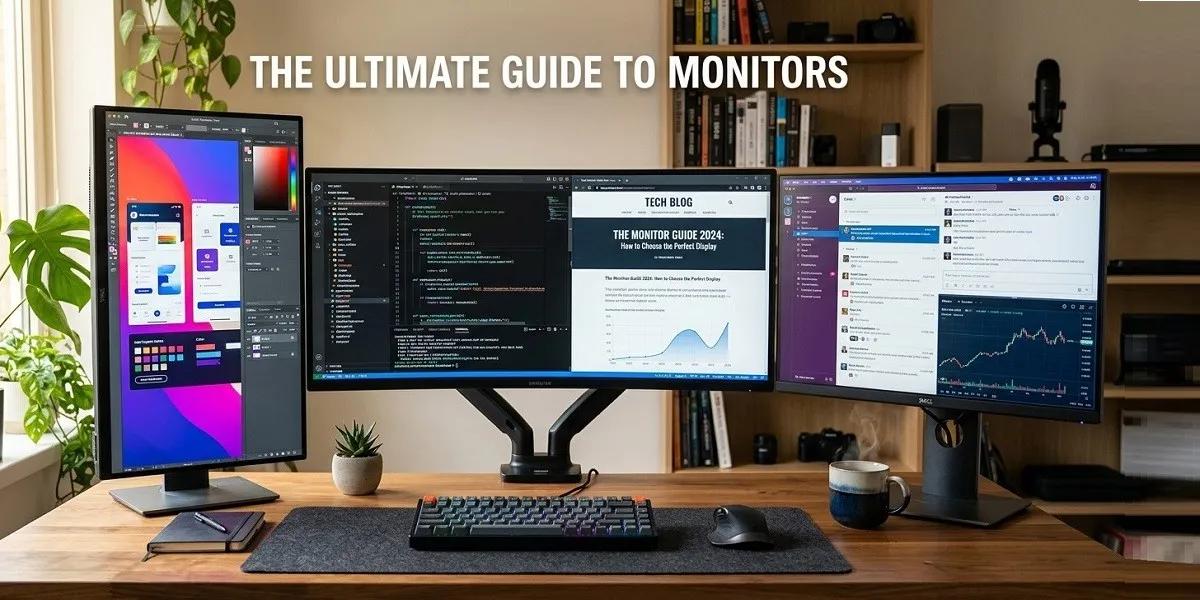
Finding a good monitor within a budget of ৳10,000 to ৳15,000 is much easier than it used to be. In Bangladesh, this price range now includes Full HD IPS and VA panels, 75Hz–100Hz refresh rates, eye-care technologies, Adaptive Sync and slim-bezel designs.
For students, office professionals, freelancers, home users and casual gamers, a 21.5- to 24-inch Full HD monitor is usually the most practical choice. ClickBD's current monitor catalogue includes budget models from brands such as LG, Samsung, ASUS, Acer, HP, MSI, ViewSonic, Dell and others.
Below are 10 models available around the ৳10,000–৳15,000 budget range, selected from current ClickBD listings and related listings.
1. LG 22MP400-B 22-inch Full HD VA Monitor
Approx. ClickBD price in BD: ৳10,960
The LG 22MP400-B is a practical option for users who want a branded Full HD display without spending too much. Its 22-inch screen and VA panel make it suitable for office work, study, browsing, entertainment and everyday computing.
Key Features
- 22-inch display
- Full HD 1920 × 1080 resolution
- VA panel
- AMD FreeSync
- OnScreen Control
- HDMI connectivity
- Suitable for everyday work and entertainment
Best For: Students, office users, home PCs and general browsing.
2. Realview RV215GW 22-inch 100Hz IPS Monitor
Approx. ClickBD price in BD: ৳11,000
The Realview RV215GW offers an attractive combination of Full HD resolution, IPS technology and a 100Hz refresh rate at an entry-level price. The 100Hz panel can make scrolling, animations and supported games feel noticeably smoother than a traditional 60Hz display.
Key Features
- 22-inch screen
- Full HD 1920 × 1080
- IPS panel
- 100Hz refresh rate
- 1ms response time
- 178° viewing angle
- Slim-bezel design
- Tilt adjustment
Best For: Students, freelancers, office work and casual gaming.
View Realview RV215GW on ClickBD
3. MSI PRO MP223 21.45-inch Full HD 100Hz Monitor
Approx. ClickBD price in BD: ৳11,200
The MSI PRO MP223 is designed around productivity and comfortable everyday viewing. Its Full HD resolution and 100Hz refresh rate make it suitable for documents, spreadsheets, browsing, video and light gaming.
Key Features
- 21.45-inch display
- Full HD resolution
- 100Hz refresh rate
- Eye-friendly display design
- Productivity-focused MSI PRO series
- Compact footprint
Best For: Office users, students, small desks and home-office setups.
4. HP V22v 22-inch Full HD VA Monitor
Approx. ClickBD price in BD: ৳11,830
The HP V22v is a straightforward Full HD VA monitor for everyday computing. Its 22-inch size works well on compact desks, while the VA panel offers stronger contrast than many basic TN displays.
Key Features
- 22-inch display
- Full HD 1920 × 1080
- VA panel
- 75Hz refresh rate
- 7ms response time
- Business and home-office friendly
Best For: Office applications, study, browsing and multimedia.
5. Samsung C22F390FHW 21.5-inch Curved Monitor
Approx. ClickBD price in BD: ৳11,000
If you specifically want a curved monitor on a budget, the Samsung C22F390FHW is an interesting option. It uses a 1800R curved VA panel with Full HD resolution and FreeSync support.
Key Features
- 21.5-inch screen
- Full HD 1920 × 1080
- VA panel
- 1800R curved display
- 3000:1 typical contrast ratio
- 4ms response time
- FreeSync
- Flicker-free technology
- Game Mode
Best For: Movies, entertainment, casual gaming and users who prefer curved displays.
Samsung LS22C310EAE on ClickBD
6. Acer SA222Q 21.5-inch Full HD IPS 100Hz Monitor
Approx. ClickBD price in BD: ৳12,900
The Acer SA222Q is one of the more interesting budget choices for users who want both Full HD resolution and a higher refresh rate. ClickBD lists the model with a 21.5-inch IPS panel and 100Hz refresh rate.
Key Features
- 21.5-inch display
- Full HD resolution
- IPS panel
- 100Hz refresh rate
- Wide viewing angles
- LED backlight
Best For: Students, office work, content consumption and casual gaming.
7. LG MK430H 21.5-inch Full HD IPS Monitor
Approx. ClickBD price in BD: ৳13,500
The LG MK430H is a Full HD IPS monitor aimed at users who want reliable image quality from an established display brand. It is suitable for everyday office tasks, study, browsing and entertainment.
Key Features
- 21.5-inch screen
- Full HD 1920 × 1080
- IPS panel
- LED backlight
- Full HD image quality
- Compact desktop design
Best For: Office users, students, home users and general productivity.
8. ASUS VP229HF 22-inch Full HD 100Hz IPS Monitor
Approx. ClickBD price in BD: ৳13,400
The ASUS VP229HF combines Full HD resolution, IPS technology and a 100Hz refresh rate. It also features a 1ms response specification and Adaptive-Sync support, making it more suitable for casual gaming than a conventional 60Hz office monitor.
Key Features
- 21.5-inch/22-inch class display
- Full HD 1920 × 1080
- IPS panel
- 100Hz refresh rate
- 1ms response specification
- Adaptive-Sync
- Eye-care features
Best For: Students, office work, browsing and casual gaming.
9. ViewSonic VA2432A-H 24-inch Full HD 120Hz IPS Monitor
Approx. ClickBD price in BD: ৳14,500
For users who want a larger 24-inch display and smoother refresh rate, the ViewSonic VA2432A-H is an appealing option near the upper end of this budget. ClickBD lists it with a Full HD IPS panel and 120Hz refresh rate.
Key Features
- 24-inch display
- Full HD 1920 × 1080
- IPS technology
- 120Hz refresh rate
- 178° viewing angle
- Anti-glare surface
- Frameless design
- Eye-care features
Best For: Office work, study, multitasking and casual gaming.
View ViewSonic VA2432A-H on ClickBD
10. Samsung LF22T350FHW 22-inch Full HD IPS Monitor
Approx. ClickBD price in BD: ৳15,000
The Samsung LF22T350FHW is a 22-inch Full HD IPS monitor with a 75Hz refresh rate and a slim, three-sided borderless design. Its IPS panel is designed to maintain consistent colours across a wide viewing angle, while the borderless design can work particularly well in a dual-monitor setup.
Key Features
- 22-inch display
- Full HD resolution
- IPS panel
- 75Hz refresh rate
- 16:9 aspect ratio
- Three-sided borderless design
- Wide viewing angle
- Suitable for multi-monitor setups
Best For: Office work, students, home users and dual-monitor setups.
View Samsung LF22T350FHW on ClickBD
Quick Comparison: Best Monitors Under ৳15,000
| Monitor | Size | Panel | Resolution | Refresh Rate | Approx. Price |
|---|---|---|---|---|---|
| LG 22MP400-B | 22" | VA | Full HD | — | ৳10,960 |
| Realview RV215GW | 22" | IPS | Full HD | 100Hz | ৳11,000 |
| MSI PRO MP223 | 21.45" | — | Full HD | 100Hz | ৳11,200 |
| HP V22v | 22" | VA | Full HD | 75Hz | ৳11,830 |
| Samsung C22F390FHW | 21.5" | VA | Full HD | — | ৳11,000 |
| Acer SA222Q | 21.5" | IPS | Full HD | 100Hz | ৳12,900 |
| LG MK430H | 21.5" | IPS | Full HD | — | ৳13,500 |
| ASUS VP229HF | 22" | IPS | Full HD | 100Hz | ৳13,400 |
| ViewSonic VA2432A-H | 24" | IPS | Full HD | 120Hz | ৳14,500 |
| Samsung LF22T350FHW | 22" | IPS | Full HD | 75Hz | ৳15,000 |
Prices are approximate ClickBD listing prices checked during September 2026 and can change.
Which Monitor Is Best for You?
There is no single monitor specification that is ideal for every user. The right choice depends on your computer, desk size, workload and budget.
Best Monitor for Students
A 21.5- to 24-inch Full HD IPS monitor is usually sufficient for online classes, research, assignments, browsing and entertainment. Models with 100Hz or 120Hz refresh rates can also make scrolling and general navigation feel smoother.
Best Monitor for Office Work
Look for:
- Full HD resolution
- IPS panel
- 22–24-inch size
- Anti-glare coating
- Flicker-free technology
- Low Blue Light/Eye Care
- Height-adjustable stand if possible
Best Monitor for Gaming
For gaming, prioritize:
- Refresh rate
- Response time
- Adaptive Sync/VRR
- Resolution
- Panel quality
- Connectivity
A 100Hz–120Hz Full HD monitor can be a significant step up from 60Hz for casual gaming.
Best Budget Gaming Monitor
Within this price bracket, models such as the ASUS VP229HF, Realview RV215GW and Acer SA222Q offer useful gaming-oriented specifications such as higher refresh rates and fast response times.
How to Choose a Monitor in Bangladesh
Before searching for monitor price BD, monitor price in BD or monitor price in Bangladesh, understand the specifications that actually affect your experience.
1. Screen Size
Common monitor sizes include:
- 21.5 inches – compact and budget-friendly
- 22–24 inches – excellent for everyday computing
- 27 inches – better for multitasking and immersive gaming
- 32 inches – useful for large workspaces
- 34 inches and above – ultrawide productivity and gaming
For a normal Bangladeshi computer desk, 22–24 inches is often easier to accommodate.
2. Resolution
HD
Usually 1366 × 768. Suitable for basic computing, but text and images are less detailed.
Full HD
1920 × 1080 is the most practical resolution for budget monitors. It is suitable for office work, study, streaming and gaming.
QHD / 2K
2560 × 1440 offers substantially more workspace and detail than Full HD.
4K / Ultra HD
3840 × 2160 provides four times the pixel count of Full HD. It is useful for professional design, photo/video editing and high-resolution media, but it generally costs considerably more than ৳15,000.
ClickBD's current catalogue places 4K monitors far above the budget discussed in this article, with examples ranging into the ৳40,000–৳80,000+ range.
IPS vs VA vs TN vs OLED vs QLED
IPS Monitor
IPS panels are popular because they generally provide wide viewing angles and good colour consistency.
Best for: Office work, study, design, content creation and general use.
VA Monitor
VA panels typically provide stronger native contrast than IPS and can produce deeper-looking blacks.
Best for: Movies, entertainment, general use and some gaming.
TN Monitor
TN panels can offer fast response characteristics at low prices, but colour and viewing-angle performance can be less impressive than modern IPS alternatives.
Best for: Budget-focused gaming and basic use where speed is more important than colour quality.
OLED Monitor
OLED panels use individually controlled pixels, allowing very deep blacks and high contrast.
Advantages:
- Excellent contrast
- Deep blacks
- Very fast pixel response
- Excellent HDR potential
Limitations:
- More expensive
- Potential image-retention/burn-in considerations
- Often unnecessary for a ৳10,000–৳15,000 budget
QLED Monitor
QLED generally refers to displays using quantum-dot technology to enhance colour and brightness. It is not the same underlying display technology as OLED.
Best for: Users seeking richer colour and higher-end display performance.
4K vs Full HD: Which Should You Buy?
For a ৳10,000–৳15,000 budget, Full HD is normally the realistic target.
A 4K monitor is much more demanding on your graphics hardware, especially in games. If you mainly browse the web, work with Office documents, study or watch videos, a good Full HD IPS monitor can be more practical than buying a low-end 4K display simply because it has more pixels.
If your work involves professional photography, video editing, CAD, detailed graphics or high-resolution content, consider moving into a higher budget category.
Curved vs Flat Monitor
Curved Monitor
Curved monitors can create a more immersive viewing experience, especially on larger displays and ultrawide models.
Advantages
- Immersive gaming
- Comfortable viewing on larger screens
- Useful for ultrawide multitasking
Disadvantages
- Not always useful on small 21.5-inch displays
- More difficult to use in some multi-monitor arrangements
- Can cost more
The Samsung C22F390FHW is an example of a budget curved Full HD VA monitor listed on ClickBD.
Flat Monitor
Flat monitors are generally easier to position, mount and combine into a dual-monitor setup.
Best for: Office work, programming, study, design and general-purpose use.
What Refresh Rate Should You Choose?
Refresh rate is measured in Hz.
- 60Hz – basic everyday computing
- 75Hz – smoother than standard 60Hz
- 100Hz – noticeably smoother everyday experience
- 120Hz – excellent for work and gaming
- 144Hz – popular for gaming
- 165Hz+ – competitive/high-refresh gaming
A higher refresh rate is particularly useful when your PC can generate enough frames to take advantage of it.
What Is Response Time?
Response time describes how quickly a pixel can change from one state to another under a particular measurement method.
For gaming, a lower measured response time can help reduce visible ghosting. However, don't choose a monitor based only on a headline “1ms” figure. Real-world motion performance also depends on pixel response behaviour, overdrive tuning and refresh rate.
What Is Adaptive Sync / FreeSync / G-Sync?
Variable Refresh Rate technologies synchronize the monitor's refresh behaviour with the graphics card.
They can help reduce:
- Screen tearing
- Stuttering
- Uneven frame delivery
AMD FreeSync and NVIDIA G-SYNC-compatible displays are common examples.
Best Portable Monitors
Portable monitors are designed for people who need an additional display while travelling.
A portable monitor is useful for:
- Laptop users
- Freelancers
- Remote workers
- Students
- Presentations
- Mobile productivity
- Dual-screen travel setups
USB-C models are particularly convenient when the laptop supports video output through USB-C/DisplayPort Alt Mode.
ClickBD currently lists portable options such as ASUS ZenScreen models, although these are generally above the ৳15,000 range.
How to Connect an External Monitor to a Laptop
Connecting a monitor to a laptop usually involves these steps:
- Check the laptop's available ports.
- Check the monitor's input ports.
- Choose a compatible HDMI, DisplayPort, USB-C or appropriate adapter/cable.
- Connect the monitor.
- Turn on the monitor.
- Select the correct input source.
- Open your operating system's display settings.
- Choose whether to duplicate, extend or use the external display only.
For USB-C, make sure the laptop's particular USB-C port supports video output. Not every USB-C port carries display signals.
How to Connect Two Monitors
A dual-monitor setup can significantly increase workspace.
Step 1: Check Graphics Outputs
Your desktop GPU or laptop should provide two usable display outputs, such as HDMI, DisplayPort or USB-C with video support.
Step 2: Connect Both Monitors
Connect each monitor to a separate supported output.
Step 3: Open Display Settings
On Windows:
Settings → System → Display
Your computer should detect the displays.
Step 4: Choose “Extend These Displays”
This creates one large workspace across both screens.
Step 5: Arrange the Screens
Drag the monitor icons so their positions match the physical arrangement on your desk.
Step 6: Choose the Main Display
Select the screen you want to use as your primary monitor.
Setting Up Two Monitors for Productivity
For the most comfortable setup:
- Keep both screens at similar heights.
- Put the primary monitor directly in front of you.
- Place the secondary monitor slightly to the side.
- Match resolution where possible.
- Adjust brightness so the two displays look similar.
- Use the same scaling where practical.
- Use monitor arms if desk space is limited.
A borderless monitor can be particularly useful when creating a visually continuous dual-screen workspace. The Samsung LF22T350FHW, for example, is listed with a three-sided borderless design.
How to Record Screen on Mac
macOS includes built-in screen-recording tools.
Using Screenshot
Press:
Shift + Command + 5
You can then choose:
- Record entire screen
- Record selected portion
- Capture a screenshot
Select the recording option and start recording.
You can stop the recording using the control shown in the macOS menu bar.
For audio recording, check the available microphone options before starting.
How to Fix Screen Flickering
Screen flickering can have several causes.
Try these steps:
- Check and reconnect the display cable.
- Try another HDMI/DisplayPort cable.
- Check the monitor's refresh rate.
- Update the graphics driver.
- Test another display input.
- Disable incompatible display settings temporarily.
- Check Adaptive Sync/VRR settings.
- Test the monitor with another computer.
- Check whether the issue occurs only in a particular application.
If the monitor flickers across different devices and cables, hardware inspection may be necessary.
How to Clean a Laptop Screen or Monitor
Cleaning a display incorrectly can damage its coating.
Safe basic method
- Turn off the display.
- Disconnect power if appropriate.
- Use a clean, soft microfiber cloth.
- Gently wipe dust and fingerprints.
- If necessary, use a small amount of suitable screen-cleaning solution on the cloth—not directly onto the screen.
- Avoid excessive pressure.
Do not use abrasive materials or household cleaning chemicals unless the display manufacturer specifically says they are suitable.
Monitor Ports Explained
HDMI
The most common connection for laptops, desktops, consoles and modern monitors.
DisplayPort
Popular for PC gaming and high-refresh-rate displays.
USB-C
Can carry video, data and power on compatible devices.
VGA
An older analogue video connection still found on some budget displays and older computers.
DVI
An older digital display interface that remains relevant for some older PCs and monitors.
Monitor Brands Available in Bangladesh
LG
LG offers monitors ranging from affordable Full HD displays to professional 4K and OLED models. ClickBD currently lists budget LG options such as the 22MP400-B and MK430H as well as much more advanced displays.
Samsung
Samsung offers conventional flat displays, curved monitors, productivity models and high-end display technologies. Its budget catalogue includes Full HD IPS and curved VA options.
ASUS
ASUS offers office, Eye Care, gaming, ProArt and ROG monitors. The VP229HF is an example of an affordable Full HD IPS model, while its ProArt and ROG ranges target professional and high-end users.
Acer
Acer has a broad range of budget, office and gaming displays. The SA222Q provides Full HD IPS and 100Hz performance in the budget segment.
HP
HP focuses strongly on business and everyday productivity displays. Current ClickBD listings include the HP V22v, P22VA G4 and other Full HD monitors.
ViewSonic
ViewSonic offers office, professional, gaming and colour-focused monitors. The VA2432A-H provides a 24-inch Full HD IPS panel with 120Hz refresh in the budget segment.
MSI
MSI is particularly well known for gaming displays but also offers productivity-oriented PRO models. The MSI PRO MP223 is one of the lower-priced models in the ClickBD catalogue.
Dell
Dell is widely used for office and professional environments, with displays focused on ergonomics, productivity and business use. ClickBD also lists the Dell E2223HN in the budget range.
Acer, ASUS, LG, Samsung, HP, Dell, MSI and ViewSonic
When comparing brands, don't select only by brand name. Compare the panel, resolution, refresh rate, ports, stand adjustment, warranty and intended use.
How Much Does a Monitor Cost in Bangladesh?
The monitor price in Bangladesh varies significantly according to size, resolution, panel type and refresh rate.
ClickBD's current catalogue ranges from approximately ৳8,500 for entry-level displays to more than ৳300,000 for professional OLED/5K-class products. The catalogue also shows that many everyday buyers fall into the ৳15,000–৳30,000 range.
Typical Budget Segments
Under ৳10,000: Basic HD/Full HD entry-level displays.
৳10,000–৳15,000: Full HD IPS/VA displays, with some 75Hz–120Hz options.
৳15,000–৳25,000: Larger 24–27-inch displays, higher refresh rates and better gaming options.
৳25,000–৳50,000: QHD gaming, curved and higher-refresh monitors become more common.
৳50,000+: 4K, ultrawide, professional colour and premium gaming monitors.
Frequently Asked Questions About Monitors
What is the best monitor under ৳15,000 in Bangladesh?
The best choice depends on the intended use. In this budget, buyers can consider Full HD IPS/VA displays from LG, ASUS, Acer, ViewSonic, Samsung, MSI, HP and other brands. A 100Hz–120Hz IPS display is particularly useful if you want smoother everyday use and casual gaming.
What is the monitor price in BD?
Monitor prices in Bangladesh vary according to size and specifications. Current ClickBD listings start around ৳8,500, while mainstream Full HD models occupy a much wider range.
Is a 100Hz monitor better than a 60Hz monitor?
A 100Hz monitor can provide smoother motion and scrolling than a 60Hz monitor. The difference is particularly noticeable when navigating quickly or playing games that can produce higher frame rates.
Is IPS better than VA?
Neither is universally better. IPS generally offers strong viewing angles and colour consistency, while VA usually offers stronger native contrast. Choose according to your workload.
Is 4K worth it for a monitor?
4K can be worthwhile for professional design, editing and high-resolution content. For normal office work and gaming on a ৳10,000–৳15,000 budget, Full HD is generally more realistic.
Is OLED better than IPS?
OLED can provide superior contrast and very fast pixel response, but it costs considerably more. IPS remains a practical choice for office work, study and general computing.
Is QLED the same as OLED?
No. QLED and OLED use different display technologies. QLED commonly uses quantum-dot enhancement with an LCD-based display system, while OLED uses self-emissive pixels.
Is a curved monitor better?
A curved display can increase immersion, especially at larger sizes. It is not automatically better for every task, and flat displays can be more practical for multi-monitor office setups.
How many Hz is good for gaming?
For casual gaming, 100Hz–120Hz is already a useful improvement over 60Hz. Competitive gamers may prefer 144Hz, 165Hz, 240Hz or higher depending on their hardware and games.
What size monitor is best for a study or office desk?
A 22- to 24-inch Full HD monitor is a practical choice for most standard desks. A 24-inch display provides a useful balance between workspace and physical size.
Can I connect a monitor to a laptop?
Yes. HDMI, DisplayPort, USB-C and adapters can be used depending on the laptop and monitor ports. USB-C must support video output for direct USB-C display connectivity.
Can I use two monitors with a laptop?
Yes, if the laptop and its docking station/adapters support the required number of displays. The exact setup depends on the laptop's graphics and available ports.
How do I connect two monitors?
Connect each monitor to a separate supported video output, open Display Settings, detect the displays and select “Extend these displays.” Arrange the screens to match their physical positions.
Why is my monitor flickering?
Possible causes include a loose cable, incorrect refresh rate, graphics-driver problems, VRR/Adaptive Sync issues, incompatible settings or hardware problems.
How do I clean my monitor screen?
Use a soft microfiber cloth and gentle pressure. For stubborn marks, use an appropriate screen-cleaning solution on the cloth rather than spraying directly onto the display.
What is the best portable monitor?
The best portable monitor depends on size, weight, USB-C support, brightness, resolution and whether you need touch input. ASUS ZenScreen is one example of a portable-monitor family available in the Bangladesh market.
What is the best monitor for gaming under ৳15,000?
Look for a Full HD IPS display with at least 100Hz refresh, low response time and Adaptive Sync/VRR. In the current ClickBD listings, models such as ASUS VP229HF, Acer SA222Q and Realview RV215GW fit the general specification profile.
Should I buy a 21.5-inch or 24-inch monitor?
A 21.5-inch monitor is easier to fit on a compact desk and can cost less. A 24-inch display gives you more physical screen area and can be more comfortable for multitasking.
Does a higher refresh rate use more electricity?
Power consumption depends on the complete monitor design, brightness, backlight and other components. A higher refresh rate does not by itself determine total power consumption.
Does HDMI support high refresh rates?
It can, depending on the HDMI version, monitor, graphics hardware, resolution and configured refresh rate. Always check the specifications of both devices.
Final Buying Checklist
Before buying a monitor in Bangladesh, check:
- Screen size
- Resolution
- Panel type
- Refresh rate
- Response time
- Adaptive Sync/VRR
- HDMI/DisplayPort/USB-C ports
- Brightness
- Viewing angle
- Anti-glare coating
- Eye-care features
- VESA compatibility
- Stand adjustment
- Built-in speakers
- Warranty
- Current market price
For a ৳10,000–৳15,000 budget, don't pay extra simply for a large number on the specification sheet. For most students and office users, Full HD + IPS/VA + 75Hz–120Hz + HDMI + eye-care features is a strong combination. Gamers should put more emphasis on refresh rate, response behaviour and Adaptive Sync, while professional creators should prioritize resolution and colour performance.

About the Author
ClickBD Team
Founded on April 14, 2005, ClickBD is recognized as Bangladesh’s first e-commerce platform, offering quality Electronics and Home Appliances through trusted sellers, competitive prices, secure shopping, and reliable service.