
Video Game Buying Guide in Bangladesh: Best Gaming Consoles, Features & Prices
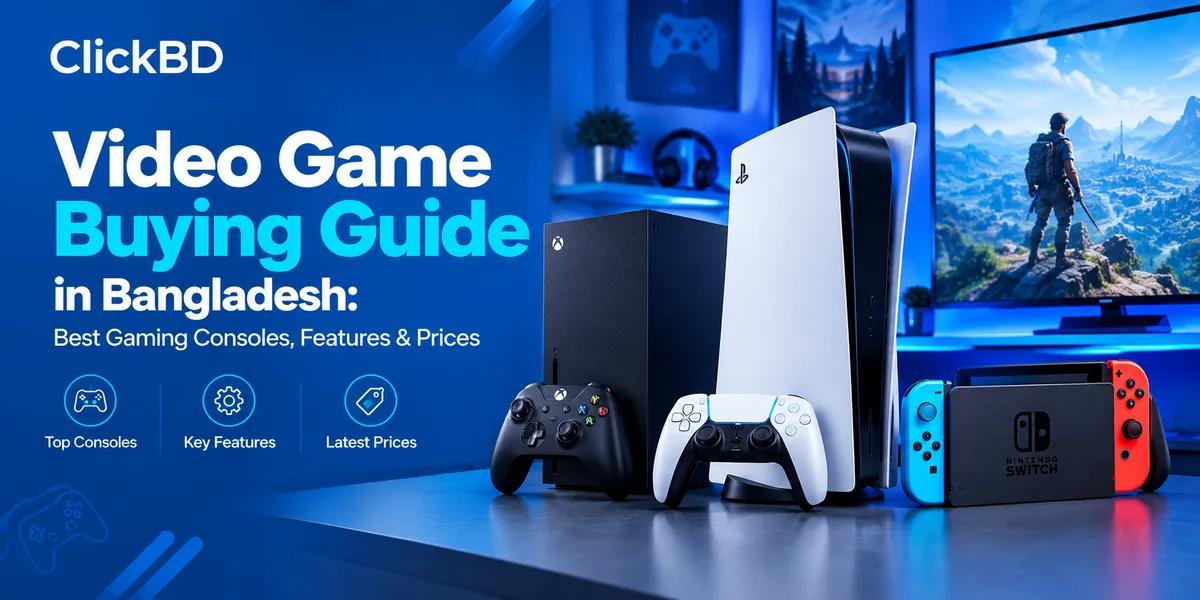
Gaming has become a popular form of entertainment in Bangladesh, whether you enjoy football simulations, cricket games, racing, action adventures, competitive shooting games, fighting games, or casual multiplayer titles. With so many consoles, games, gaming laptops, monitors, controllers, and accessories available, choosing the right setup can feel confusing—especially when you need to balance performance and price.
This video game buying guide for Bangladesh explains the most important things to know before buying. You will learn how PlayStation, Xbox, Nintendo, PC, and mobile gaming compare; which specifications matter; how to choose a gaming monitor; which affordable gaming laptops are worth considering; and what to look for in a comfortable gaming chair.
You can also explore the ClickBD Video Games category to compare available listings. For a useful purchase decision, check the exact model, included accessories, seller details, condition, warranty, and current advertised price before ordering.
1. What Should You Know Before Buying a Gaming Console?
A gaming console is a dedicated device designed to run video games on a TV, monitor, or built-in screen. Unlike a gaming PC, a console usually comes with a standardized hardware configuration, a controller, and a platform-specific game store.
Before choosing a console, consider these factors:
-
Game library: Does it support the games you want to play?
-
Budget: Can you afford the console, games, subscriptions, and accessories?
-
Graphics and performance: Do you prefer 4K visuals, high frame rates, or casual gaming?
-
Storage: Will the internal SSD hold the games you want installed?
-
Online gaming: Do your preferred multiplayer games require a paid subscription?
-
Portability: Will you play mainly at home or also while travelling?
-
Local availability: Can you find games, controllers, replacement parts, and repair support in Bangladesh?
-
Compatibility: Will the console work with your existing TV or monitor?
There is no single best console for every gamer. The right choice depends on your preferred games, playing habits, and total budget. The main differences between major consoles are their game libraries, hardware, portability, and online services.
2. Types of Gaming Consoles
PlayStation 5 (PS5)
Best suited to gamers who want powerful home-console gaming and PlayStation titles.
The Sony PlayStation 5 is a powerful home gaming console with fast SSD storage, detailed graphics, and the DualSense controller's adaptive triggers and haptic feedback. Depending on the game and display, supported titles can offer 4K output and high frame rates.
Important features
-
Fast SSD storage for shorter loading times.
-
Support for compatible 4K TVs and monitors.
-
DualSense controller with haptic feedback and adaptive triggers in supported games.
-
A large catalogue of PlayStation games, including story-driven action and adventure titles.
-
Backward compatibility with most PS4 games.
-
Disc-based and digital purchasing options, depending on the exact console edition.
Popular games to consider: EA SPORTS FC, Marvel's Spider-Man 2, God of War Ragnarök, Gran Turismo 7, Hogwarts Legacy, and Call of Duty titles. Always check the required platform and edition before purchasing.
PS5 Disc Edition vs Digital Edition
|
Feature |
Disc Edition |
Digital Edition |
|---|---|---|
|
Physical game discs |
Supported if the model has a disc drive |
Not supported unless a compatible drive is fitted to that exact model |
|
Digital downloads |
Yes |
Yes |
|
Buying used physical games |
Possible |
No |
|
Selling or exchanging disc games |
Possible |
No |
|
Best for |
People who want physical and digital options |
People who prefer digital downloads |
Which PS5 should you choose? Choose a disc-drive version if you want to buy physical games, use compatible used discs, or watch supported disc media. A digital model may suit you if you purchase games online and are comfortable with digital-only ownership. Check the exact model, disc-drive configuration, storage capacity, and included controller before buying.
Xbox Series X
Best suited to gamers who want high-performance Xbox gaming and a strong backward-compatible game library.
The Microsoft Xbox Series X is designed for high-performance gaming, fast loading, and detailed visuals. It supports 4K gaming in compatible titles and displays, while its SSD and Quick Resume feature help reduce waiting when switching between supported games.
Key features
-
High-performance CPU and GPU.
-
Fast SSD storage.
-
4K gaming support in compatible games.
-
Ray tracing in supported titles.
-
Quick Resume for switching between supported games.
-
Backward compatibility with a selection of older Xbox games.
-
Access to digital games and subscription services, with availability depending on the account and region.
Popular games to consider: Forza Horizon, Halo, Gears of War, Microsoft Flight Simulator, and selected third-party titles.
Who should buy it? It is worth considering if your preferred games are available on Xbox, you want a powerful home console, or you already use Xbox services. Check the regional availability, payment methods, and terms of subscriptions before committing to recurring costs.
Xbox Series S
A more budget-conscious route into current-generation Xbox gaming.
The Microsoft Xbox Series S is smaller and less expensive than the Series X in many markets. It is designed primarily for digital gaming and generally targets lower resolutions than the Series X.
Key features
-
Compact design.
-
Digital-only game purchasing on standard models.
-
SSD storage and Quick Resume.
-
Support for high frame rates in selected games.
-
Access to supported Xbox games and services.
Limitations to consider
-
No standard disc drive, so physical games cannot be used.
-
Less graphics performance than the Series X.
-
Storage capacity varies by model and can fill quickly with large games.
-
Actual resolution and frame rate depend on each game.
Which Xbox is best for your budget? Consider the Series S if you want to spend less on the console and prefer digital games. Consider the Series X if you value higher graphics performance, more storage on comparable configurations, and physical discs on a disc-drive model. Compare the complete cost—not just the console's initial price.
Nintendo Switch and Nintendo Switch 2
Best suited to portable gaming, family play, and Nintendo-exclusive franchises.
Nintendo consoles differ from traditional PlayStation and Xbox systems because several models are designed for handheld gaming as well as play on a TV.
The Nintendo Switch 2 is the newer hybrid model, while the original Nintendo Switch OLED and Nintendo Switch Lite may still suit particular budgets and play styles.
Nintendo Switch 2 highlights
-
Built-in screen for portable play.
-
TV play through its compatible dock.
-
Detachable controllers for supported multiplayer games.
-
Upgraded performance compared with the original Switch.
-
Compatibility with many original Switch games, although individual games and accessories should be checked.
Nintendo Switch OLED highlights
-
OLED screen with rich colours and contrast.
-
Handheld, tabletop, and TV play.
-
Detachable Joy-Con controllers.
-
Access to the original Switch game library.
Nintendo Switch Lite highlights
-
Compact, handheld-only design.
-
Built-in controls.
-
No standard TV-docking gameplay.
-
Suitable for players who mainly play supported handheld titles.
Who should choose Nintendo? Nintendo is worth considering for portable play, family gaming, and franchises such as Mario, The Legend of Zelda, Pokémon, and Animal Crossing. Before buying, confirm whether the game you want is compatible with the particular Switch model.
The Switch 2, original Switch, and Switch Lite are not interchangeable in every feature or game scenario. Check game compatibility and regional availability rather than assuming every title works on every model.
Retro and Handheld Gaming Consoles
Retro handheld devices and small plug-and-play consoles can be affordable options for casual gaming, travel, or nostalgia. Some come with built-in games, rechargeable batteries, and simple controls.
However, the number of advertised games does not necessarily indicate quality. Before buying, check:
-
The exact games included and whether they are properly licensed.
-
Screen resolution and screen size.
-
Battery capacity and real-world play time.
-
Whether games can be added or saved.
-
Controller quality and build durability.
-
Charging port and included accessories.
-
Return policy and seller reputation.
Be careful with listings that promise thousands of games without naming them or explaining the software and licensing. Very inexpensive devices may not provide the same performance or game selection as a modern console.
3. Gaming Console Price in Bangladesh
Gaming console prices in Bangladesh depend on the model, storage capacity, edition, seller, import source, warranty, and whether the product is new or used. A console advertised at a lower price may not include the same accessories or after-sales support as another listing.
The following table gives indicative price references to help you plan your budget. These are not guaranteed ClickBD listing prices.
|
Gaming console |
Indicative price in Bangladesh |
Best for |
|---|---|---|
|
Sony PlayStation 5 Slim / standard PS5 |
৳65,000–৳100,000+ |
High-performance home gaming |
|
Sony PlayStation 5 Pro |
৳150,000–৳175,000+ |
Premium graphics and performance |
|
Microsoft Xbox Series S |
৳60,000–৳75,000+ |
Budget-conscious digital gaming |
|
Microsoft Xbox Series X |
৳100,000–৳115,000+ |
High-performance Xbox gaming |
|
Nintendo Switch Lite |
৳20,000–৳35,000+ |
Portable handheld gaming |
|
Nintendo Switch OLED |
৳35,000–৳50,000+ |
Portable gaming with an OLED screen |
|
Nintendo Switch 2 |
৳55,000–৳80,000+ |
Newer hybrid handheld and TV gaming |
|
Retro handheld game console |
৳1,500–৳10,000+ |
Casual and retro-style gaming |
Price note: These are broad planning estimates, not live quotations. A Bangladesh retailer's published October 2026 list, for example, showed Xbox Series S 512GB at around ৳63,500, Xbox Series X 1TB at around ৳105,000, and PS5 Pro variants around ৳169,800–৳171,400. Actual prices and availability can change.
For current advertised games and related listings, visit ClickBD Video Games.
How to Choose a Console Based on Your Budget
For a very limited budget: Consider a retro handheld device or a pre-owned console from a seller who allows you to test it. Verify the included games, controller condition, battery, and return terms.
For mid-range gaming: Compare a Nintendo handheld, a used previous-generation console, or an Xbox Series S listing. Think about the cost of the games you actually want to play.
For high-performance home gaming: Compare the PS5 and Xbox Series X based on game availability, graphics, storage, disc support, and subscription costs.
For premium gaming: Consider the PS5 Pro only if its improved graphics capabilities matter to you and your display can take advantage of them.
4. Console Specifications Explained: What Matters Most?
You do not need to understand every technical term to make a good purchase. These are the specifications that matter most when comparing gaming consoles.
CPU and GPU
The CPU (central processing unit) handles general game logic, while the GPU (graphics processing unit) processes images, lighting, effects, and other visual elements.
A stronger GPU can help a game render more detailed graphics or maintain higher frame rates, but performance depends on how the developer optimizes the game.
When comparing consoles, look at actual supported game performance rather than relying on a single specification.
Resolution: 1080p, 1440p, and 4K
Resolution describes the number of pixels used to display an image.
-
1080p Full HD: A practical option for budget displays and many gaming setups.
-
1440p QHD: Offers more detail than 1080p and is useful for compatible monitors.
-
4K UHD: Provides a sharper image on compatible TVs and monitors, particularly on larger screens.
A console supporting 4K output does not mean every game renders natively at 4K. Resolution can vary by game, graphics mode, and performance settings.
Frame Rate: 30 FPS, 60 FPS, and 120 FPS
Frames per second (FPS) describe how many frames a game displays each second.
|
Frame rate |
What to expect |
Suitable for |
|---|---|---|
|
30 FPS |
Standard motion in many games |
Story-driven and casual gaming |
|
60 FPS |
Smoother motion and responsive gameplay |
Most players and many action games |
|
120 FPS |
Very smooth motion when supported |
Competitive gaming and fast-paced games |
Higher frame rates can improve responsiveness, but both the game and display must support the chosen mode. Some games offer a performance mode with higher FPS and a graphics mode with more visual detail.
SSD Storage
Modern consoles use solid-state storage to load games and levels more quickly than traditional hard drives.
Check the advertised storage capacity before buying. The operating system and other reserved files reduce the space available for games. Large modern titles can occupy substantial storage, so a console with more usable space may be more convenient.
Some consoles support compatible external storage or expansion drives, but compatibility and the ability to run games directly from an external device vary.
Ray Tracing and HDR
Ray tracing can improve lighting, reflections, and shadows in supported games. High Dynamic Range (HDR) can improve the range of brightness and colour when the game and display support it.
Neither feature automatically guarantees a better experience in every game. A well-balanced performance mode may be more important to players who prioritize smooth gameplay.
Controller Features
A controller affects comfort, precision, and immersion. Look for:
-
Comfortable button placement and grip.
-
Accurate analogue sticks.
-
Responsive triggers and buttons.
-
Wireless connectivity and battery life.
-
Motion controls where useful.
-
Vibration or haptic feedback.
-
Compatibility with your console and preferred games.
If you play fighting games, racing games, or competitive shooters frequently, controller design may be just as important as a small difference in graphics performance.
5. Physical Games vs Digital Games: Which Is Better?
Console games are commonly available as physical discs or digital downloads, depending on the platform.
|
Factor |
Physical games |
Digital games |
|---|---|---|
|
Buying used copies |
Often possible |
Generally not transferable between users |
|
Reselling or exchanging |
Possible where permitted |
Usually not possible |
|
Storage |
Disc still requires installation on many consoles |
Requires download and storage space |
|
Internet connection |
May be needed for updates and some features |
Usually required to download games |
|
Convenience |
Requires handling and storing discs |
Easy to access through the digital library |
|
Initial purchase price |
Can vary; used copies may offer savings |
Sales and digital discounts vary |
Which is better? Physical games can be attractive to Bangladeshi buyers who want to buy used copies, trade games, or keep a collection. Digital purchases may suit players who prefer convenience and do not want to manage discs.
Before buying a digital-only console, check the availability of the platform's store and payment methods in your region. Also check whether the games you want require online access or subscriptions.
6. Best Video Games to Consider in Bangladesh
Choosing a console is only part of the decision. The games you plan to play should guide your purchase because not every game is available on every platform.
The following titles and franchises are useful starting points. Availability, edition, price, and platform compatibility can vary.
|
Game or franchise |
Genre |
What to check before buying |
|---|---|---|
|
EA SPORTS FC 26 / FC 27 |
Football simulation |
Exact edition and supported console |
|
Cricket 26 |
Cricket simulation |
Platform and release availability |
|
Call of Duty |
First-person shooter |
Exact title, online requirements, and platform |
|
Grand Theft Auto V |
Open-world action |
Console generation and edition |
|
Hogwarts Legacy |
Action role-playing |
Console compatibility and performance |
|
Minecraft |
Sandbox and creative |
Edition, multiplayer, and cross-play support |
|
Gran Turismo 7 |
Racing simulation |
PlayStation compatibility |
|
Forza Horizon |
Open-world racing |
Xbox or PC version availability |
|
God of War Ragnarök |
Action adventure |
Platform and edition |
|
The Legend of Zelda |
Action adventure |
Compatible Nintendo console |
|
Pokémon |
Role-playing |
Compatible Nintendo console |
|
Mario Kart |
Racing and multiplayer |
Supported Nintendo console and local-player features |
These are examples of popular gaming franchises, not a verified ranking of the most searched games in Bangladesh.
Check the Game's Exact Platform
A game title may have multiple editions or versions. A listing that says “PS4 and PS5” should be checked to see whether it includes one version, both versions, or a particular upgrade entitlement. Xbox, Nintendo, and PC editions may differ.
Before ordering a physical game, verify:
-
The console generation printed on the package.
-
Whether the game is a disc or digital code.
-
Whether the disc is compatible with your console.
-
Whether the game requires an account or subscription.
-
Whether the listed price is for a new or used copy.
-
Whether the language, region, and downloadable content meet your needs.
Example of Current ClickBD Game Listings
The ClickBD Games subcategory has advertised titles such as EA SPORTS FC, Hogwarts Legacy, Minecraft, God of War, and Need for Speed, with listing prices ranging from approximately ৳1,500 to ৳9,990 in the indexed page. Those prices refer to particular advertised listings and may change.
Browse the ClickBD Games category to compare listings, and confirm the exact platform and edition with the seller before purchase.
7. How to Choose a Gaming Monitor
If you play on a gaming PC or want to connect a console to a monitor, the right display can make a major difference to image quality and responsiveness.
A monitor should match your console or computer's performance. Buying an expensive 240Hz monitor will not automatically make a console game run at 240 FPS.
Step 1: Choose the Right Screen Size
-
22–24 inches: Suitable for small desks and competitive 1080p gaming.
-
24–27 inches: A versatile range for many desktop gaming setups.
-
27–32 inches: Useful for larger screens and higher-resolution gaming.
-
34 inches and above: Suitable for ultrawide PC gaming, subject to game and device compatibility.
For a typical desk setup, a 24-inch or 27-inch monitor is a sensible starting point. Consider desk depth, viewing distance, and available space before buying.
Step 2: Select the Right Resolution
|
Resolution |
Recommended use |
Key consideration |
|---|---|---|
|
1920 × 1080 (Full HD) |
Budget gaming and high frame rates |
Easier for many PCs to drive |
|
2560 × 1440 (QHD) |
Detailed PC gaming |
Requires more graphics performance |
|
3840 × 2160 (4K) |
High-detail console or PC gaming |
More demanding for the graphics hardware |
Full HD is often the most practical choice for budget gaming. QHD can provide a useful balance of sharpness and performance on a 27-inch screen. Choose 4K if your console or PC can deliver the experience you want at that resolution.
Step 3: Understand Refresh Rate
Refresh rate is measured in hertz (Hz) and indicates how often a monitor can update its image each second.
-
75–100Hz: Suitable for casual play and general use.
-
144–165Hz: A strong target for many budget and mid-range PC gaming setups.
-
180–240Hz: Useful for competitive gaming when your PC can produce high frame rates.
-
360Hz and above: Mainly for highly competitive players who can benefit from very high refresh rates.
For consoles, check the exact model's supported output modes. If you want 120Hz gaming, verify that the monitor, console, game, and connection all support the required mode.
Step 4: Compare Panel Types
IPS: Often provides good colour reproduction and wide viewing angles. Many gaming IPS panels offer high refresh rates.
VA: Can provide deeper contrast than many IPS panels, although response performance varies by model.
OLED: Offers excellent contrast and very fast pixel response. It typically costs more, and static interface elements may contribute to burn-in over time depending on usage and panel protections.
There is no universally best panel. Choose based on your budget, preferred games, lighting, image quality expectations, and how long you typically keep static content on screen.
Step 5: Check Response Time and Motion Handling
Response time measures how quickly pixels change between colours or shades. A low advertised response time does not always guarantee clear motion, because measurement methods and overdrive settings vary.
For competitive shooters and racing games, look for independent reviews of motion clarity, overshoot, and input lag. Do not compare monitor response times using only marketing claims.
Step 6: Look for VRR and Compatible Ports
Variable Refresh Rate (VRR) can help reduce screen tearing when supported by the display and connected device. AMD FreeSync and NVIDIA G-SYNC technologies can also be relevant to PC gaming, depending on the model and connection.
Check:
-
HDMI version and supported resolution/refresh combinations.
-
DisplayPort support for PC use.
-
Whether HDMI 2.1 features are required for your setup.
-
VRR support and compatibility.
-
Built-in speakers or headphone output if needed.
-
VESA mounting support and stand adjustability.
Important: A port's label alone does not guarantee every advanced feature. Check the manufacturer's specification sheet for the exact monitor model.
Gaming Monitor Price in Bangladesh
These are approximate budget ranges for planning; individual model prices can vary significantly.
|
Monitor type |
Indicative price in Bangladesh |
|---|---|
|
Entry-level 100Hz–144Hz Full HD |
৳10,000–৳16,000 |
|
144Hz–165Hz IPS Full HD gaming monitor |
৳12,000–৳25,000 |
|
180Hz–200Hz Full HD gaming monitor |
৳20,000–৳32,000 |
|
27-inch QHD high-refresh gaming monitor |
৳25,000–৳50,000+ |
|
4K high-refresh gaming monitor |
৳50,000–৳80,000+ |
|
Premium OLED or very high-refresh models |
৳100,000+ |
Recent Bangladesh retail listings include entry-level Full HD 144Hz models around ৳12,300–৳14,500 and selected 27-inch QHD monitors around ৳38,000–৳45,000. Prices and specifications vary by model.
Practical recommendation: If you are building a budget PC gaming setup, start by comparing 24-inch Full HD monitors with 144Hz or higher refresh rates. If you use a console, prioritize the resolution, refresh rate, and connection modes supported by your console and preferred games.
8. Best Cheap Gaming Laptops in Bangladesh
A gaming laptop is a good option if you need a portable computer for gaming, study, work, and entertainment. However, gaming laptops generally cost more than similarly equipped office laptops because they need stronger graphics hardware and cooling.
When comparing budget models, focus on the GPU, CPU, RAM, SSD, screen refresh rate, cooling, and upgrade options—not just the brand name.
Important Specifications for a Budget Gaming Laptop
Graphics card (GPU): This is one of the most important gaming components. An entry-level dedicated GPU such as an NVIDIA GeForce RTX 3050 or RTX 4050 may suit budget-conscious Full HD gaming. Newer GPUs can offer different performance and features, but you should compare actual tests at the same settings.
Processor (CPU): Modern Intel Core i5/Core 5 and AMD Ryzen 5 processors can be suitable for many budget gaming systems. The exact processor generation and model matter more than the family name alone.
RAM: Aim for 16GB where possible. An 8GB laptop may be cheaper, but it can limit performance in newer games and multitasking. Check whether RAM is upgradeable.
Storage: A 512GB NVMe SSD is a practical starting point, though multiple large games can fill it quickly. Check whether the laptop supports a second SSD or a larger replacement drive.
Display: A Full HD screen with a 144Hz refresh rate is a common target for entry-level gaming. Also check brightness, colour coverage, and response behaviour.
Cooling: Gaming laptops can become hot and loud under sustained loads. Reviews that test temperatures and performance over time are more useful than a short benchmark alone.
Power adapter and battery: Dedicated GPUs use considerable power. Expect significantly lower gaming performance or shorter battery life when unplugged, depending on the laptop.
Gaming Laptop Models Worth Comparing
These are model families and example configurations to investigate. Exact specifications vary by SKU, region, and year, so confirm the model code before ordering.
|
Gaming laptop |
Specifications to look for |
Best suited to |
|---|---|---|
|
Acer Nitro V 15 |
Core i5 or Ryzen 5, RTX 3050/4050-class GPU, 16GB RAM |
Budget Full HD gaming |
|
Ryzen or Intel CPU, dedicated RTX graphics, high-refresh display |
Gaming and everyday use |
|
|
Core i5/Ryzen 5 or better, RTX graphics, SSD |
Students and entry-level gamers |
|
|
Recent Intel or AMD CPU, RTX graphics, upgradeable RAM |
Balanced gaming performance |
|
|
Core i5-class CPU, RTX graphics, portable design |
Entry-level gaming with portability in mind |
|
|
More powerful CPU/GPU combinations and improved display options |
Mid-range and more demanding gaming |
Best Cheap Gaming Laptop Price in Bangladesh
|
Budget category |
Indicative price range |
What to expect |
|---|---|---|
|
Entry-level gaming laptop |
৳90,000–৳115,000 |
Selected RTX 2050/3050 configurations |
|
Budget RTX 4050 laptop |
৳115,000–৳150,000 |
Good Full HD gaming potential, depending on GPU power and cooling |
|
Mid-range gaming laptop |
৳150,000–৳200,000 |
More GPU options, memory, and display choices |
|
Higher-performance gaming laptop |
৳200,000+ |
Stronger GPUs, higher-resolution displays, or premium features |
These ranges are estimates rather than guaranteed offers. Recent local listings show examples of HP Victus and Acer Nitro laptops with RTX 3050 graphics around ৳98,000–৳111,000, while selected RTX 4050 configurations are advertised around ৳120,000–৳150,000. Prices change with specifications and stock.
Which Budget Gaming Laptop Is Best?
-
For a strict budget: Compare RTX 3050 laptops with 16GB RAM or a clearly documented RAM upgrade path.
-
For stronger Full HD performance: Compare RTX 4050 models and check GPU power limits, cooling, and real-world game tests.
-
For students: Consider keyboard comfort, portability, webcam quality, battery life for non-gaming use, and warranty.
-
For competitive gaming: Prioritize stable frame rates, cooling, and display response rather than decorative features.
-
For future upgrades: Check RAM slots, SSD expansion, and service availability before purchasing.
Do not choose a laptop solely because the advertisement says “Core i7” or “gaming.” A newer or more suitable GPU configuration may matter more than a processor label. Also compare the total cost of RAM upgrades, a mouse, headset, and cooling stand if required.
9. Best Budget Gaming Chairs: What Should You Look For?
A gaming chair can make long gaming sessions more comfortable, but the best option is not necessarily the chair with the most aggressive racing-seat design.
For many people, a well-designed office chair can be just as suitable as a dedicated gaming chair. Prioritize fit, adjustability, stable construction, and support.
Essential Gaming Chair Features
Adjustable seat height: Your feet should rest flat on the floor or a footrest, with your knees at a comfortable angle.
Backrest support: Look for a backrest that supports your natural sitting posture. A lumbar cushion can help, but it cannot compensate for a poorly fitting chair.
Seat depth and width: You should be able to sit back against the backrest without the seat edge pressing into the backs of your knees.
Armrests: Adjustable armrests can help you position your elbows comfortably while using a keyboard or controller.
Reclining mechanism: A recline function is useful for changing posture. Check that the mechanism locks securely and feels stable.
Base and casters: Inspect the base, wheel quality, load rating, and stability. Check the manufacturer's maximum recommended user weight.
Material: Mesh can improve airflow in a warm room. Fabric may feel less sticky than some synthetic leather materials. PU leather is easy to wipe clean but may wear or peel over time, especially with heat and humidity.
Warranty: Confirm the warranty covers the frame, gas lift, mechanism, upholstery, and wheels—or clarify which parts are excluded.
Gaming Chair Types
|
Chair type |
Main advantages |
Considerations |
|---|---|---|
|
Basic ergonomic office chair |
Practical, often affordable, suitable for study and work |
May have fewer gaming-style features |
|
Mesh office/gaming chair |
Better airflow for many users |
Mesh tension and frame quality vary |
|
Racing-style gaming chair |
Recline, bucket-style design, and gaming aesthetic |
Some designs may not suit every body shape |
|
Premium ergonomic chair |
More adjustment options and long-session comfort |
Higher cost |
|
Floor gaming chair |
Compact for certain console setups |
Not ideal for every desk or prolonged seated position |
Budget Gaming Chair Price in Bangladesh
The following ranges are broad estimates. Verify the specific chair's dimensions, materials, weight rating, and warranty before buying.
|
Budget |
What to expect |
|---|---|
|
৳3,000–৳6,000 |
Basic chairs; adjustability and build quality may be limited |
|
৳6,000–৳10,000 |
More options for entry-level gaming and office chairs |
|
৳10,000–৳18,000 |
Potentially better mechanisms, materials, and adjustability |
|
৳18,000+ |
Premium ergonomic and feature-rich chairs |
How to Choose a Chair for Long Gaming Sessions
-
Check your height and the chair's seat-height range.
-
Compare seat width and depth with your body measurements.
-
Look for a stable base and clear weight rating.
-
Test the backrest, lumbar support, and armrests if possible.
-
Read reviews that mention durability after months of use.
-
Check delivery, assembly, return, and warranty terms.
Best practical advice: If your budget is limited, spend on a stable, comfortable chair with proper adjustments rather than paying extra for RGB lighting or a racing-style design.
10. Gaming Phones in Bangladesh: Brands, Models, and Prices
Mobile gaming is another option for people who want to play without purchasing a separate console or gaming laptop. Games such as PUBG Mobile, Free Fire, Call of Duty: Mobile, and Mobile Legends: Bang Bang are designed for compatible smartphones, although their performance depends on device specifications and game settings.
A gaming phone should have a capable processor, a suitable GPU, enough RAM, good thermal management, a responsive display, and a battery that can support long sessions.
The model names below are examples of devices or series worth comparing—not a verified list of Bangladesh's most-searched phones. Prices are approximate planning ranges and vary by RAM, storage, official status, and availability.
Popular Gaming Phone Brands and Model Families
|
Brand |
Models or series to compare |
Approximate price range in Bangladesh |
|---|---|---|
|
Galaxy A series, Galaxy S FE series, Galaxy S series |
৳20,000–৳180,000+ |
|
|
Redmi Note series, POCO X series, POCO F series |
৳18,000–৳100,000+ |
|
|
Number series, GT series |
৳18,000–৳100,000+ |
|
|
HOT series, NOTE series, GT series |
৳12,000–৳55,000+ |
|
|
POVA series, CAMON series |
৳12,000–৳55,000+ |
|
|
T series, V series, selected iQOO models where available |
৳20,000–৳100,000+ |
|
|
Reno series, selected A-series devices |
৳18,000–৳100,000+ |
|
|
iPhone 13, iPhone 14, iPhone 15, iPhone 16 and newer compatible models |
৳40,000–৳200,000+ |
|
|
Nord series, numbered flagship series |
৳25,000–৳130,000+ |
|
|
Pixel A series and Pixel flagship series |
৳35,000–৳150,000+ |
|
|
Edge series, selected Moto G models |
৳15,000–৳90,000+ |
|
|
ASUS |
ROG Phone series |
৳70,000–৳180,000+ |
|
Nubia |
RedMagic gaming phone series |
৳60,000–৳180,000+ |
|
X series, selected Magic series |
৳18,000–৳120,000+ |
|
|
Selected Pura and nova models |
Varies by model and availability |
|
|
Phone series and CMF Phone series |
৳20,000–৳100,000+ |
|
|
Motorola/Lenovo gaming devices |
Model and regional availability vary |
Verify current local listings |
Important: This is a broad comparison list, not a claim that every listed model is currently in stock or officially distributed in Bangladesh. Some models may be imported, discontinued, or available only in specific configurations. Always confirm exact model numbers, warranty coverage, network compatibility, and the current advertised price.
What Specifications Matter for Mobile Gaming?
Processor and GPU: The chipset determines much of the phone's gaming performance. Compare independent gaming tests rather than relying only on the number of CPU cores or a brand name.
RAM: 8GB is a useful target for many gaming-focused purchases, while 12GB or more may help with heavier multitasking. Actual needs depend on the game and software.
Display: A 90Hz, 120Hz, or higher refresh rate can make supported games feel smoother. Confirm that the game can actually use the display's higher refresh rate.
Battery: A larger battery can provide more play time, but screen brightness, mobile data, refresh rate, and processor load affect endurance.
Cooling: Sustained performance matters more than a short burst. A phone that becomes hot may reduce performance to control temperatures.
Storage: 128GB may be adequate for lighter gaming, but 256GB or more can be more convenient if you install several large games.
Touch response and audio: Responsive touch controls and clear sound can improve competitive and multiplayer play.
Which Gaming Phone Is Best for Your Budget?
-
Entry-level gaming: Compare budget Redmi, Infinix, TECNO, and realme models with capable chipsets and sufficient RAM.
-
Mid-range gaming: Look at POCO X/F series, suitable Redmi Note models, realme GT options, and other phones with stronger GPUs.
-
Premium mobile gaming: Compare high-end Samsung Galaxy S, iPhone, OnePlus, and dedicated gaming phones such as ASUS ROG Phone or RedMagic where available.
-
Long sessions: Prioritize cooling, battery performance, display comfort, and a reliable warranty.
The newest or most expensive phone is not automatically the best value. Check gaming benchmarks for the exact model, because different versions of the same phone series can have significantly different performance.
11. Gaming Accessories Worth Considering
The right accessories can improve comfort and convenience, but not every gamer needs every accessory.
Essential Accessories
-
Extra controller: Useful for local multiplayer or replacing a worn controller.
-
Gaming headset: Helps with voice chat and directional audio in supported games.
-
Charging cable or dock: Useful for charging compatible wireless controllers.
-
External storage: May expand storage on supported consoles; verify compatibility.
-
Gaming mouse and keyboard: Important for PC gaming and supported console games.
-
Controller charging station: Convenient if you regularly use more than one controller.
-
Surge protection or a suitable UPS: May help protect equipment from some electrical issues; choose a correctly rated product.
-
Ethernet cable: A wired network connection can improve consistency compared with Wi-Fi in some setups.
Accessories to Buy Only If You Need Them
A steering wheel may be worthwhile for racing simulators, while a VR headset can add an immersive experience for supported platforms. Capture cards and streaming microphones are useful for content creators but are not essential for ordinary gaming.
Before buying an accessory, confirm the exact console or PC compatibility. Similar-looking accessories may use different connectors, software, or platform-specific features.
12. Console Gaming vs Gaming PC vs Mobile Gaming
The best platform depends on your priorities.
|
Factor |
Console |
Gaming PC/laptop |
Gaming phone |
|---|---|---|---|
|
Initial hardware cost |
Fixed console price |
Varies widely; capable gaming hardware can be expensive |
Often lower if you already own a phone |
|
Upgrade options |
Limited |
Many desktop PCs can be upgraded |
Usually limited |
|
Portability |
Depends on console type |
Laptop is portable; desktop is not |
Highly portable |
|
Game selection |
Platform-dependent |
Broad PC catalogue |
Mobile-specific games |
|
Controller options |
Usually straightforward |
Keyboard/mouse and controllers |
Touchscreen and supported controllers |
|
Graphics tuning |
Often simpler |
Many graphics settings and hardware options |
Depends on device and game |
|
Maintenance |
Usually limited |
More hardware and software management |
Regular phone maintenance |
|
Best suited to |
Plug-and-play home or handheld gaming |
Flexible performance and PC gaming |
Gaming on the go |
Choose a console if you want a relatively straightforward gaming experience and prefer its game library.
Choose a gaming PC or laptop if you need PC software, keyboard-and-mouse gaming, hardware options, and broader flexibility.
Choose a gaming phone if portability matters most and the games you enjoy are available on mobile.
Some gamers use more than one platform. You do not need to buy everything at once; begin with the device that supports the games you play most often.
13. How to Buy Video Games and Consoles Safely on ClickBD
ClickBD provides a place to browse listings and compare products. When shopping for consoles, games, and accessories, take time to verify the details before making a payment.
Before Buying a New Console
-
Confirm the model name and storage capacity.
-
Check whether the console includes a controller, power cable, HDMI cable, and other advertised accessories.
-
Confirm whether the console is new, refurbished, or pre-owned.
-
Ask about warranty coverage and whether it is local or seller-provided.
-
Check the console's disc-drive configuration.
-
Confirm the region, power requirements, and account-store compatibility.
-
Ask about delivery charges, return conditions, and available payment methods.
Before Buying a Used Console
Used consoles can reduce your initial cost, but they require additional checks.
-
Test the console with a game for a reasonable period.
-
Check HDMI output, USB ports, Wi-Fi, and controller connectivity.
-
Inspect the controller for stick drift, faulty buttons, and charging problems.
-
Check the fan noise, temperature, and signs of physical damage.
-
Confirm that the console can connect to the relevant online service.
-
Ask whether it has been repaired or modified.
-
Confirm which games, cables, and accessories are included.
-
Arrange a safe inspection and payment process.
Avoid sharing account passwords, one-time verification codes, or other sensitive information with a seller. Use a safe meeting place for local transactions, and do not rely solely on screenshots as proof that a console works.
Before Buying a Game
Check the exact title, platform, edition, physical or digital format, condition, and included content. For used discs, inspect the disc surface and confirm the seller's return policy. For digital codes, understand region restrictions and redemption conditions before paying.
Browse ClickBD Video Games
Explore the ClickBD Video Games category to look for available gaming products. Compare the individual advertisements rather than assuming every seller offers the same price, condition, warranty, or included accessories.
14. Common Gaming Buying Mistakes to Avoid
Buying a console before checking the games: Make a shortlist of the games you actually want and verify their platform compatibility.
Ignoring the total cost: Include games, subscriptions, a second controller, storage, a display, and accessories in your budget.
Buying a monitor with specifications you cannot use: Match refresh rate and resolution to the capabilities of your console or PC.
Choosing a gaming laptop by CPU name alone: Check the GPU, RAM, cooling, display, and exact model code.
Choosing a chair for appearance alone: Fit, stability, seat dimensions, and adjustability are more important than styling.
Assuming all advertised prices are current: Stock, exchange rates, import costs, and seller offers can change. Confirm the current price before ordering.
Overlooking warranty and repair support: A slightly cheaper imported model may not offer the same service or parts availability.
Forgetting internet requirements: Online multiplayer, updates, digital downloads, and some games require an internet connection. Check the requirements before buying.
Ignoring parental controls: For younger gamers, review age ratings, spending controls, online communication settings, and play-time limits.
15. Frequently Asked Questions (FAQs)
1. Which gaming console is best in Bangladesh?
There is no single best console for everyone. The PS5 suits gamers who want PlayStation titles and powerful home gaming, the Xbox Series X is a strong option for Xbox games and performance, the Series S is a more budget-focused digital option, and Nintendo consoles are suited to portable and family gaming. Compare games, total cost, and availability before deciding.
2. What is the gaming console price in Bangladesh?
Gaming console prices vary by model and seller. Budget retro devices can cost a few thousand taka, while current-generation consoles commonly cost tens of thousands of taka. Premium models can exceed ৳150,000. Check current advertisements for the exact model and included accessories.
3. Is PS5 better than Xbox Series X?
The answer depends on your preferred games and services. Compare exclusive and third-party game availability, graphics performance, controller features, storage, subscriptions, and the cost of games. Both are capable home gaming systems.
4. Should I buy a PS5 Disc Edition or Digital Edition?
Choose a disc-drive model if you want to use compatible physical games or buy second-hand discs. A digital model suits people who prefer downloading games. Confirm the exact edition and whether the model supports an optional compatible disc drive.
5. Is Xbox Series S good for budget gaming?
It can be a practical option if you want access to supported Xbox games at a lower console cost. However, it is designed for digital gaming on standard models, has less graphics performance than the Series X, and may have limited storage for large game libraries.
6. Which Nintendo Switch should I buy?
Choose the Switch Lite if you want handheld-only gaming, the Switch OLED if you want an OLED screen and the original Switch's hybrid play style, or the Switch 2 if you want the newer hybrid model. Verify game compatibility and local pricing.
7. How much does a gaming monitor cost in Bangladesh?
Entry-level high-refresh Full HD monitors may cost around ৳12,000–৳25,000, while QHD, 4K, and OLED monitors can cost considerably more. The price depends on screen size, refresh rate, panel type, resolution, and connectivity.
8. How do I choose a gaming monitor?
Check screen size, resolution, refresh rate, response performance, panel type, VRR, and HDMI/DisplayPort support. A 24-inch Full HD monitor with 144Hz or higher refresh rate can be a practical starting point for many budget PC gamers.
9. Is a 144Hz monitor enough for gaming?
For many gamers, yes. A 144Hz monitor can provide smooth motion and responsive gameplay when the computer or console produces compatible frame rates. Competitive players may benefit from higher refresh rates if their hardware can use them.
10. Which is the best cheap gaming laptop in Bangladesh?
There is no universal winner. Compare Acer Nitro V, ASUS TUF, HP Victus, Lenovo LOQ, and MSI gaming models with similar GPUs, RAM, and displays. A laptop with a suitable dedicated GPU, 16GB RAM, an SSD, and adequate cooling can be a strong starting point.
11. Can I use a gaming laptop for study and office work?
Yes. Gaming laptops can handle study, office software, browsing, video editing, and other demanding tasks. They are often heavier and have shorter battery life during gaming than regular productivity laptops.
12. What should I look for in a budget gaming chair?
Prioritize suitable seat dimensions, adjustable height, back support, stable construction, armrests, and a clear weight rating. Mesh or fabric may be worth considering in Bangladesh's warm climate.
13. Are gaming chairs better than office chairs?
Not necessarily. A well-fitting ergonomic office chair can be more comfortable than a racing-style gaming chair. Fit and adjustability matter more than the product category or appearance.
14. Which mobile brands are suitable for gaming in Bangladesh?
Depending on budget and availability, compare Samsung, Xiaomi, POCO, realme, Infinix, TECNO, vivo, OPPO, Apple, OnePlus, ASUS ROG, and RedMagic models. Check the exact chipset, RAM, cooling, battery, display, and warranty rather than relying only on brand names.
15. How much RAM is recommended for mobile gaming?
Eight gigabytes of RAM is a useful target for many gaming-focused phones, while 12GB or more can help with heavier multitasking. Performance also depends on the processor, GPU, cooling, and game optimization.
16. Can I play online games without a subscription?
It depends on the game and platform. Some games offer free online play, while certain console multiplayer games require a paid subscription. Check the exact game, service, and regional account requirements before purchasing.
17. Is a used gaming console worth buying?
A used console can be good value if it works correctly and is priced appropriately. Test the console and controller, inspect ports and condition, check online connectivity, and confirm what accessories are included. Prefer a safe inspection and clear return terms.
18. What accessories should I buy with a new console?
Start with the included controller and cables, a compatible display, and the game you want to play. An extra controller, headset, storage expansion, or charging station can be added if your gaming habits require them.
19. What should I check before buying a game on ClickBD?
Verify the title, platform, edition, disc or digital format, condition, seller details, and current price. For used games, check compatibility and disc condition. For digital codes, confirm regional restrictions and redemption conditions.
20. Where can I find video games in Bangladesh?
You can compare available listings in the ClickBD Video Games category. Review each advertisement carefully and confirm price, condition, included accessories, warranty, and delivery terms with the seller.
16. Final Buying Advice: Choose the Right Gaming Setup for You
Buying a gaming console or building a gaming setup is easier when you start with your preferred games and total budget. A console may offer straightforward gaming, a gaming laptop can provide portability and PC flexibility, and a gaming phone may be enough if you mainly play mobile titles.
For a console, compare the game library, disc or digital options, storage, controller, and subscription costs. For a gaming monitor, match resolution and refresh rate to your hardware. For a budget gaming laptop, prioritize the GPU, cooling, RAM, and SSD. For a gaming chair, focus on comfort, fit, and stability.
Finally, compare individual listings carefully. Prices, stock, warranty, and included accessories vary between sellers in Bangladesh. Whether you are buying a new console, a used game, a gaming monitor, or an accessory, check the exact product details before ordering.
Explore ClickBD Video Games to compare available advertisements and find gaming products that fit your needs and budget.

About the Author
ClickBD Team
Founded on April 14, 2005, ClickBD is recognized as Bangladesh’s first e-commerce platform, offering quality Electronics and Home Appliances through trusted sellers, competitive prices, secure shopping, and reliable service.