
How to Stop Your Phone from Overheating: Causes, Fixes, Prevention
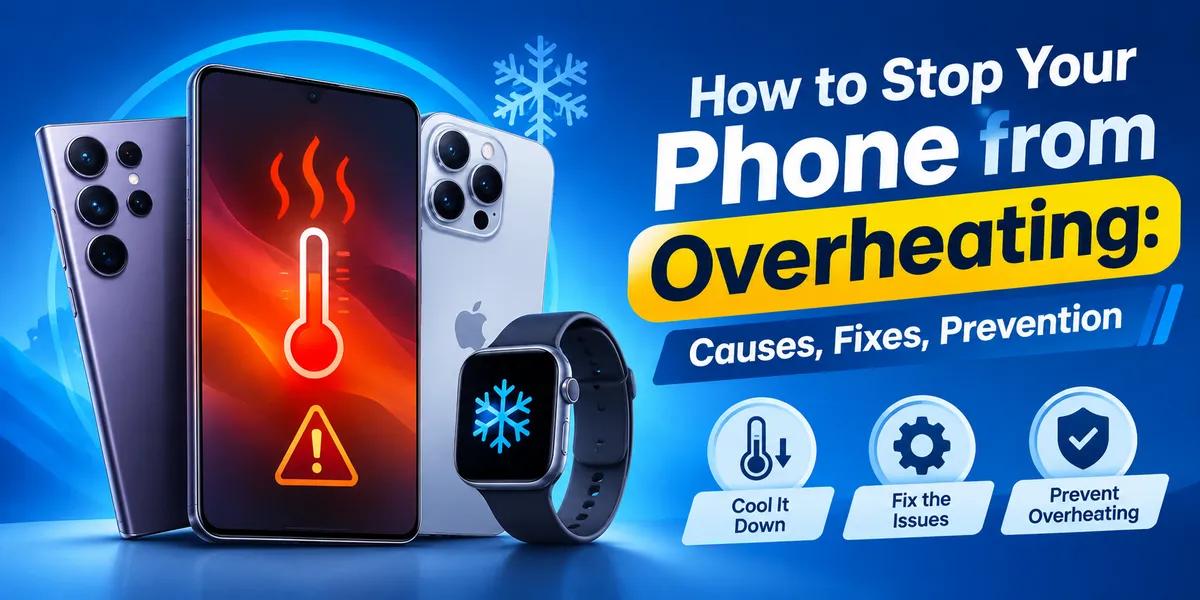
A smartphone getting slightly warm during charging, gaming, video recording, navigation or heavy multitasking is normal. However, if your phone becomes unusually hot, repeatedly overheats, slows down, stops charging or displays a temperature warning, you should take action.
The good news is that most everyday overheating problems can be reduced by changing how you charge, use, update and store your phone.
This guide explains how to stop your phone from overheating, why phones get too hot, how to cool an overheating phone safely, how to prevent overheating during gaming and charging, and what to look for when buying a phone that handles heat better.
For Bangladesh users, heat management is especially important during hot weather, outdoor use, long navigation sessions, mobile gaming, fast charging and direct sunlight.
Why Is Your Phone Overheating?
Phone overheating can happen for several reasons. Usually, it is not caused by one single component. The processor, display, battery, modem, camera, charging system and software can all contribute to heat.
Common causes of phone overheating
-
Playing graphics-intensive games for long periods
-
Using GPS/navigation continuously
-
Recording high-resolution video
-
Using the camera for an extended time
-
Streaming high-quality video
-
Fast charging while using the phone heavily
-
Wireless charging
-
Direct sunlight
-
Leaving the phone inside a hot car
-
High ambient temperature
-
Poor mobile signal
-
5G/mobile data usage in demanding conditions
-
Too many background apps
-
A software bug
-
Outdated software
-
A damaged or aging battery
-
A low-quality charger or cable
-
A thick case trapping heat
-
Heavy multitasking
-
High screen brightness
Apple specifically notes that processor-intensive apps, camera use, gaming, high-quality video, navigation, direct sunlight and charging can make an iPhone warmer. Its built-in temperature management can slow or stop charging and reduce performance when the device becomes too hot.
How to Stop Your Phone from Getting Too Hot
If your phone is becoming hot during normal use, start with these practical solutions.
1. Stop heavy apps temporarily
Close or pause demanding activities such as:
-
3D gaming
-
Video editing
-
Long video recording
-
Navigation
-
Live streaming
-
AR applications
-
High-quality video streaming
Give the processor and GPU time to cool down.
2. Move the phone away from direct sunlight
Direct sunlight can quickly increase the temperature of a smartphone.
If you are outside in Bangladesh during a hot afternoon, avoid placing your phone:
-
On a car dashboard
-
Beside a window receiving direct sunlight
-
On a motorcycle or bike exposed to the sun
-
Under a glass table
-
On a hot metal surface
Keep it somewhere shaded and ventilated.
3. Remove the phone case temporarily
A thick protective case can reduce heat dissipation, especially while fast charging or gaming.
If the phone is unusually hot, remove the case temporarily and place the device somewhere cool and ventilated.
4. Reduce screen brightness
A bright display consumes more power and can contribute to heat.
Use automatic brightness or reduce brightness manually when you do not need maximum screen brightness.
5. Turn off unnecessary features
Temporarily disable features you are not using:
-
Bluetooth
-
GPS
-
Mobile hotspot
-
NFC
-
5G
-
High refresh rate
-
Always-On Display
-
Background syncing
You do not need to turn everything off permanently. The goal is to reduce unnecessary workload when the phone is already hot.
How to Fix an Overheating Phone: Easy Solutions
If your phone is already very hot, follow this sequence.
Step 1: Stop using demanding apps
Exit games, camera apps, video editors, navigation and other heavy applications.
Step 2: Stop charging
If the phone is hot while charging, disconnect the charger and allow the device to cool.
Step 3: Remove the case
Remove a thick case temporarily to improve heat dissipation.
Step 4: Move it to a cooler location
Place the phone in a shaded, dry and ventilated area.
Step 5: Reduce connectivity workload
If you do not need them, turn off:
-
Mobile hotspot
-
Bluetooth
-
GPS
-
5G
-
Unnecessary background syncing
Step 6: Wait before using it heavily again
Do not immediately return to gaming or fast charging as soon as the phone feels slightly cooler.
Step 7: Check for software updates
A software update can sometimes resolve bugs that cause excessive battery or processor usage.
Step 8: Check battery health
If the phone is old and overheating frequently, the battery may be degraded.
Step 9: Use the original or a certified charger
Avoid cheap, damaged or unknown-brand chargers and cables.
Step 10: Get professional service if overheating continues
If your phone overheats during light use, becomes extremely hot repeatedly, shuts down unexpectedly, smells unusual, swells or shows physical battery damage, stop using it and seek professional service.
How to Prevent Your Phone from Overheating
Prevention is better than repeatedly trying to cool a phone.
Avoid gaming while fast charging
Gaming places a high workload on the processor and GPU. Charging also produces heat. Doing both simultaneously can raise device temperature significantly.
For long gaming sessions, it is better to:
-
Charge before gaming.
-
Remove the case if necessary.
-
Reduce graphics settings.
-
Lower refresh rate if appropriate.
-
Play in a cool environment.
-
Take regular breaks.
Reduce Game Graphics Settings
If your phone becomes hot while gaming, reduce:
-
Resolution
-
Shadow quality
-
Texture quality
-
Frame rate
-
Anti-aliasing
-
Brightness
A stable 60 FPS with moderate graphics may be better for sustained gaming than maximum settings that force the processor and GPU to work continuously.
Avoid Using Your Phone in a Hot Car
Never leave your smartphone inside a parked car under direct sunlight.
The inside of a vehicle can become significantly hotter than the surrounding environment. Apple also specifically advises against leaving an iPhone or iPad in a hot car.
Keep the Phone Ventilated
Do not cover the phone with:
-
Blankets
-
Pillows
-
Thick clothing
-
Bags
-
Cushions
especially while charging.
A smartphone does not have a conventional fan like many computers. It depends heavily on passive heat dissipation through its body.
Can Fast Charging Cause Phone Overheating?
Fast charging can make a phone warmer than slower charging, particularly during the higher-power portion of charging.
That does not mean fast charging is automatically harmful.
Modern smartphones use charging controls to regulate power, temperature and battery protection. The problem is more likely when fast charging happens in combination with:
-
Gaming
-
Direct sunlight
-
Hot rooms
-
Poor-quality chargers
-
Thick cases
-
Heavy mobile data usage
Best charging practice
For better heat management:
-
Use a compatible charger.
-
Keep the phone ventilated.
-
Avoid gaming while charging.
-
Do not place the phone under a pillow.
-
Avoid direct sunlight.
-
Remove a heat-trapping case if necessary.
-
Stop charging if the phone becomes unusually hot.
Is Wireless Charging More Hot Than Wired Charging?
Wireless charging can generate additional heat because energy is transferred wirelessly rather than directly through a cable.
This does not mean wireless charging is unsafe. However, if your phone frequently becomes hot during wireless charging, wired charging may produce less heat in your particular setup.
For heat-sensitive users, compare:
-
Wired charging temperature
-
Wireless charging temperature
-
Charger wattage
-
Case thickness
-
Ambient temperature
Why Does My Phone Get Hot While Gaming?
Gaming is one of the most common causes of smartphone heat.
The CPU and GPU work continuously to process:
-
Game graphics
-
Physics
-
AI
-
Sound
-
Network communication
-
Frame rendering
-
Touch input
High-end games can therefore generate considerable heat.
How to stop your phone overheating while gaming
-
Lower graphics quality.
-
Reduce FPS.
-
Reduce brightness.
-
Avoid direct sunlight.
-
Remove a thick case.
-
Stop charging while gaming.
-
Close unnecessary apps.
-
Use Wi-Fi when it provides a stronger and more stable connection.
-
Take breaks during long sessions.
-
Keep the phone on a hard, open surface.
Why Does My Phone Get Hot While Charging?
Common reasons include:
-
Fast charging
-
High charging wattage
-
Poor-quality charger
-
Damaged cable
-
Hot room
-
Direct sunlight
-
Using the phone heavily while charging
-
Battery aging
-
Wireless charging
-
Background applications
If the phone becomes unusually hot during every charging session, test it with a compatible charger and cable and consider checking the battery.
Why Does My Phone Get Hot Without Using It?
A phone that becomes hot while sitting idle deserves more attention.
Possible causes include:
-
Background application activity
-
Software bugs
-
Poor network signal
-
Malware or suspicious apps
-
GPS running continuously
-
Cloud backup
-
Photo/video processing
-
System updates
-
Battery degradation
-
Faulty hardware
Check your battery-usage screen and identify which applications are consuming the most power.
If one app consistently consumes excessive battery while the phone is idle, update or uninstall it if appropriate.
Does 5G Make a Phone Hotter?
5G itself does not mean that every phone will overheat.
However, demanding mobile-data usage, weak signal conditions, continuous data transfer and modem activity can increase power consumption.
For example, downloading large files, streaming high-resolution video or using a hotspot for a long period can make the phone warmer.
If you do not need 5G in an area where the signal is weak, using a lower network mode can sometimes reduce battery consumption and heat.
Does the Phone Brand Affect Overheating?
Yes, but the brand name alone does not determine temperature.
The important factors include:
-
Processor efficiency
-
Chipset generation
-
Cooling design
-
Vapor chamber or graphite cooling
-
Battery size
-
Charging speed
-
Display technology
-
Software optimisation
-
Modem efficiency
-
Phone thickness
-
Thermal management system
A premium phone from one brand can stay cooler than a cheaper phone from the same brand, while a newer mid-range phone can outperform an older flagship in efficiency.
Phone Types and Their Heat Management
1. Budget Smartphones
Budget phones usually use less powerful processors and lower-power displays.
Advantages
-
Lower purchase cost
-
Generally adequate for everyday apps
-
Lower-performance chips can produce less peak heat
Limitations
-
Basic cooling systems
-
Less suitable for heavy gaming
-
Slower charging may still become warm in hot weather
Best for
-
Calling
-
Messaging
-
Social media
-
Browsing
-
YouTube
-
Basic photography
2. Mid-Range Smartphones
Mid-range phones often offer the best balance between performance and efficiency.
Best for
-
Daily work
-
Social media
-
Photography
-
Gaming
-
5G
-
Long-term use
For many Bangladesh buyers, this category provides the best value.
3. Flagship Smartphones
Flagship phones use powerful processors and advanced displays.
They can perform extremely well, but high performance can also generate substantial heat during demanding workloads.
Best for
-
Professional photography
-
4K/8K video
-
Heavy gaming
-
Productivity
-
Long-term software support
-
Premium ecosystem features
4. Gaming Smartphones
Gaming phones are designed specifically for sustained performance.
Common cooling features include:
-
Vapor chambers
-
Large graphite layers
-
Advanced thermal materials
-
High-refresh-rate displays
-
Performance modes
-
Dedicated cooling accessories
Best for
-
Long gaming sessions
-
Competitive gaming
-
High FPS
-
Emulation
However, even a gaming phone can become hot when pushed continuously.
5. Foldable Smartphones
Foldables require compact internal engineering.
They offer:
-
Large displays
-
Flexible screens
-
Premium processors
-
Multitasking
But their thin construction and complex internal layout mean thermal management remains an important consideration.
What to Look for When Buying a Phone to Avoid Overheating
If your priority is heat management, do not buy a phone only because it has a large battery or high RAM.
Look for:
1. Efficient Processor
A newer, efficient chipset can deliver more performance per watt.
2. Good Thermal Design
Look for vapor chambers, graphite cooling or manufacturer-described thermal management systems where available.
3. Balanced Charging Speed
Extremely high charging wattage is not automatically better.
4. Good Software Optimisation
Efficient software can reduce unnecessary processor and background activity.
5. High-Quality Battery
A reliable battery and proper battery management are important for long-term performance.
6. Appropriate Display
A high-refresh-rate AMOLED display looks excellent, but it can consume more power under certain conditions.
7. Good Network Modem
Efficient modem technology can help manage power consumption during mobile-data use.
Top 10 Phones in Bangladesh to Consider for Better Heat Management
Important: There is no universal temperature ranking for smartphones. Actual temperature depends on software, room temperature, network signal, charger, game settings, case and usage. Therefore, the following models are recommended based on their positioning, chipset/performance class, features and current ClickBD availability—not because they have a guaranteed lowest temperature.
ClickBD currently lists models from brands including Apple, Google, Honor, Huawei, Infinix, Motorola, Nothing, OnePlus, Oppo, Poco, Realme, Redmi, Samsung, Tecno, Vivo, Walton and Xiaomi.
Top 10 Recommended Models
| No. | Phone | Key specification | Best for |
|---|---|---|---|
| 1 | Samsung Galaxy A56 5G | 8/12GB RAM, 256GB, 5G, 120Hz AMOLED | Balanced performance |
| 2 | Nothing Phone (4a) Pro | 8GB RAM, 128GB, 5G | Clean software & daily performance |
| 3 | Vivo V60 Lite | Up to 12GB RAM, 256GB, 5G | Daily use & camera |
| 4 | Vivo Y31d | Up to 8GB RAM, 256GB, 120Hz | Mid-range daily use |
| 5 | Samsung Galaxy A36 5G | 8GB RAM, 128GB, 5G, AMOLED | Long-term everyday use |
| 6 | Samsung Galaxy A17 5G | 8GB RAM, 128GB, 5G | Affordable 5G |
| 7 | Vivo Y29 | Up to 8GB RAM, 256GB | Budget-friendly daily use |
| 8 | Vivo Y19s Pro | 6GB RAM, 128GB | Affordable everyday phone |
| 9 | Nothing Phone (4b) | 8GB RAM, 128GB | Stylish mid-range use |
| 10 | Realme Narzo N65 5G | 6GB RAM, 128GB, 5G | Budget 5G |
Current ClickBD listings include the Galaxy A56 5G at ৳57,499 for 8GB/256GB, Nothing Phone (4a) Pro at ৳47,999 for 8GB/128GB, Vivo V60 Lite variants, Vivo Y31d variants, Galaxy A36 5G at ৳42,999, Galaxy A17 5G at ৳28,999, Vivo Y29 variants and Vivo Y19s Pro at ৳18,499.
Top 5 Phones: Specifications and Heat-Management Considerations
1. Samsung Galaxy A56 5G
Key specifications
-
RAM: 8GB / 12GB
-
Storage: 256GB
-
Network: 5G
-
Display: 120Hz AMOLED
-
Category: Upper mid-range
-
ClickBD listed price: From around ৳57,499 depending on configuration
Why consider it?
The Galaxy A56 5G is a strong option for users who want a balance between performance, display quality, camera capability and everyday efficiency.
Best for
-
Social media
-
Photography
-
5G
-
Multitasking
-
Long-term everyday use
-
Moderate gaming
Heat-management advice
For long gaming sessions, reduce graphics settings and avoid playing while fast charging.
2. Nothing Phone (4a) Pro
Key specifications
-
RAM: 8GB
-
Storage: 128GB
-
Network: 5G
-
Category: Mid-range
-
ClickBD listed price: ৳47,999
Why consider it?
The Nothing Phone (4a) Pro is an attractive choice for users who prefer a clean, distinctive smartphone experience.
Best for
-
Everyday use
-
Social media
-
Multimedia
-
Stylish design
-
Users who prefer a cleaner software experience
Heat-management advice
Use adaptive refresh rate where available and avoid keeping demanding apps active in the background.
3. Vivo V60 Lite
Key specifications
-
RAM options: 8GB / 12GB
-
Storage: 256GB
-
Display: High-refresh-rate display
-
Category: Mid-range
-
ClickBD listed price: From ৳34,999 depending on configuration
Why consider it?
The Vivo V60 Lite offers a strong balance between memory, storage, display experience and everyday performance.
Best for
-
Social media
-
Photography
-
Streaming
-
Multitasking
-
Daily productivity
Heat-management advice
Avoid prolonged high-brightness use and heavy gaming while charging.
4. Vivo Y31d
Key specifications
-
RAM: 6GB / 8GB
-
Storage: 128GB / 256GB
-
Display: 120Hz refresh rate
-
Category: Mid-range
-
ClickBD listed price: Approximately ৳24,398–৳36,599 depending on variant
Why consider it?
The Y31d is positioned as a practical daily-use phone with multiple RAM and storage configurations.
Best for
-
Students
-
Social media
-
Video
-
Everyday work
-
Casual gaming
Heat-management advice
Keep background apps under control and avoid direct sunlight during outdoor use.
5. Samsung Galaxy A36 5G
Key specifications
-
RAM: 8GB
-
Storage: 128GB
-
Network: 5G
-
Display: AMOLED
-
Category: Mid-range 5G
-
ClickBD listed price: ৳42,999
Why consider it?
The Galaxy A36 5G is a good choice for users who want a modern 5G smartphone without moving into flagship pricing.
Best for
-
Daily use
-
Social media
-
Photography
-
Streaming
-
5G
-
Long-term ownership
Heat-management advice
Use moderate graphics settings during gaming and keep the device away from direct sunlight.
Best Phone Brands in Bangladesh for Heat Management
Samsung
Samsung offers one of the broadest smartphone ranges in Bangladesh.
Strengths
-
Budget to flagship models
-
AMOLED displays
-
5G options
-
Strong software ecosystem
-
Broad accessory availability
-
Multiple performance categories
Best Samsung choices
-
Galaxy A17 5G — budget 5G
-
Galaxy A36 5G — balanced mid-range
-
Galaxy A56 5G — premium mid-range
-
Galaxy S series — flagship performance
Who should buy Samsung?
Users who want a balanced ecosystem, strong display technology and broad model availability.
Apple iPhone
Apple's iPhone lineup is known for strong processor performance, long software support and tight hardware/software integration.
Strengths
-
Efficient processor architecture
-
Long software support
-
Strong video recording
-
Excellent performance
-
Premium build quality
-
Strong resale value
Heat considerations
An iPhone can become warm during gaming, camera use, navigation, charging and high-quality video. Apple confirms that these activities can increase temperature and that iPhone has built-in protections against excessive heat.
Best for
-
Premium users
-
Video creators
-
Photography
-
Business users
-
Long-term ownership
Google Pixel
Google Pixel phones are known particularly for computational photography and a clean Android experience.
Strengths
-
Excellent image processing
-
Clean Android
-
AI-powered features
-
Strong camera experience
-
Regular software support
Heat considerations
Heavy camera processing, gaming, mobile data and charging can still produce heat. Choose a model according to your workload rather than assuming every Pixel model has identical thermal behaviour.
Best for
-
Photography
-
Android enthusiasts
-
AI features
-
Clean software
OnePlus
OnePlus traditionally focuses on performance, fast charging and smooth displays.
Strengths
-
Performance-focused hardware
-
Fast charging
-
High refresh rate
-
Good gaming capability
-
Premium mid-range and flagship options
Heat considerations
High-performance modes and fast charging can increase power consumption and heat during demanding use.
Best for
-
Gamers
-
Performance users
-
Heavy multitasking
Xiaomi
Xiaomi offers phones across budget, mid-range and flagship segments.
Strengths
-
Competitive pricing
-
Strong specifications
-
Large battery options
-
Fast charging
-
Many performance-focused models
Best for
-
Value seekers
-
Gaming
-
Battery-focused buyers
-
Specification-focused users
Redmi
Redmi is particularly popular among budget and mid-range buyers.
Strengths
-
Affordable pricing
-
Good specifications for the price
-
Large battery options
-
Many display choices
-
Strong availability
Best for
-
Students
-
Budget buyers
-
Everyday users
-
Casual gaming
Realme
Realme focuses heavily on value, battery, charging and performance.
Strengths
-
Competitive pricing
-
Fast charging on selected models
-
Gaming-focused models
-
Large batteries
-
Good value
Best for
-
Budget gaming
-
Students
-
Young users
-
Performance per taka
ClickBD currently lists Realme among its major phone brands, including Narzo models.
Vivo
Vivo offers a wide range from entry-level phones to premium devices.
Strengths
-
Camera-focused models
-
Large batteries
-
Stylish designs
-
Multiple RAM/storage choices
-
Strong mid-range selection
Best for
-
Photography
-
Social media
-
Everyday users
-
Mid-range buyers
Oppo
Oppo is known for camera-focused smartphones, fast charging and stylish designs.
Strengths
-
Camera technology
-
Fast charging
-
Premium design
-
User-friendly software
Best for
-
Photography
-
Social media
-
Premium mid-range users
Honor
Honor offers budget and mid-range smartphones with attractive designs and modern displays.
Strengths
-
Value
-
Display quality
-
Battery
-
Stylish design
-
Mid-range selection
Best for
-
Students
-
Everyday users
-
Budget-conscious buyers
Nothing
Nothing focuses on distinctive design and a relatively clean software experience.
Strengths
-
Unique design
-
Clean interface
-
Good display
-
Strong mid-range positioning
Best for
-
Users who want something different
-
Daily productivity
-
Multimedia
Motorola
Motorola offers clean Android experiences and a range of budget to mid-range devices.
Strengths
-
Clean software
-
Simple user experience
-
Practical hardware
-
Good value in selected models
Best for
-
Users who prefer clean Android
-
Everyday use
-
Budget and mid-range buyers
Infinix
Infinix focuses strongly on value-oriented smartphones and gaming-friendly features.
Strengths
-
Large displays
-
Large batteries
-
Affordable performance
-
Gaming-oriented models
Best for
-
Students
-
Budget gamers
-
Large-screen users
Tecno
Tecno provides affordable smartphones with attractive designs and large batteries.
Strengths
-
Budget pricing
-
Large batteries
-
Large displays
-
Feature-rich hardware
Best for
-
Budget buyers
-
Students
-
Everyday users
Walton
Walton is a Bangladeshi brand with affordable smartphone options and local service availability.
Strengths
-
Local market presence
-
Affordable entry-level phones
-
Local service network
-
Budget-friendly pricing
Best for
-
Basic smartphone users
-
Budget buyers
-
Buyers prioritising local service
How to Check if Your Phone Is Overheating
Feeling warm does not always mean overheating.
Normal warmth
Your phone may become warm during:
-
Charging
-
Gaming
-
Camera use
-
Navigation
-
Software updates
-
Video streaming
Warning signs
Pay attention if:
-
The phone becomes uncomfortable to hold.
-
Charging slows or stops.
-
The display dims unexpectedly.
-
Performance drops significantly.
-
Apps become unusually slow.
-
The phone repeatedly shuts down.
-
You receive a temperature warning.
-
The phone becomes hot during very light use.
Apple notes that excessive internal temperature can trigger protective actions such as slower/stopped charging, display dimming, reduced performance and other temporary restrictions.
Should You Put an Overheating Phone in the Refrigerator?
No.
Do not put a hot phone in a refrigerator or freezer to cool it quickly.
A sudden temperature change can create condensation and potentially damage internal components.
Instead:
-
Stop charging.
-
Stop heavy use.
-
Remove the case.
-
Move the phone to a shaded, dry and ventilated location.
-
Let it cool naturally.
Can a Phone Explode Because of Overheating?
Severe overheating can become a safety issue, especially when combined with a damaged or defective lithium-ion battery.
Stop using the phone if you notice:
-
Battery swelling
-
Smoke
-
Unusual smell
-
Extreme heat
-
Cracked battery area
-
Repeated shutdowns caused by heat
Do not puncture, crush or attempt to repair a swollen battery yourself.
Phone Overheating in Bangladesh: Special Tips
Bangladesh's hot and humid weather makes heat management particularly important.
During summer
-
Keep the phone away from sunlight.
-
Avoid leaving it inside cars.
-
Reduce gaming sessions.
-
Avoid charging under pillows.
-
Use a ventilated charging location.
During monsoon
If your phone gets wet, do not immediately connect the charger.
Make sure the charging port is completely dry before charging.
During load-shedding
Power-bank charging can be useful, but use a reliable power bank and compatible cable.
When grid electricity returns after an outage, avoid relying on damaged or very cheap chargers.
How to Reduce Battery Drain and Heat Together
Battery drain and heat are often connected.
Reduce unnecessary power consumption by:
-
Lowering brightness
-
Turning off unnecessary GPS
-
Using Wi-Fi when appropriate
-
Reducing background activity
-
Lowering refresh rate when necessary
-
Updating apps
-
Removing problematic apps
-
Using battery-saver mode when appropriate
-
Avoiding unnecessary 5G use in weak-signal areas
A phone that consumes less power often produces less waste heat.
Best Settings for a Cooler Phone
There is no universal setting that makes every phone cool, but these adjustments often help:
| Setting | Recommended approach |
|---|---|
| Brightness | Auto or moderate |
| Refresh rate | Adaptive or moderate |
| GPS | Only when needed |
| Bluetooth | Off when unused |
| Hotspot | Off when not required |
| 5G | Use when useful |
| Gaming graphics | Medium for long sessions |
| FPS | Stable rather than maximum |
| Background apps | Limit unnecessary apps |
| Charging | Use compatible charger |
| Case | Remove temporarily if heat builds |
When Should You Replace an Overheating Phone?
Consider replacement if your phone:
-
Is several years old
-
Has significantly degraded battery health
-
Overheats during normal use
-
Frequently shuts down
-
Has a swollen battery
-
Has poor performance after basic troubleshooting
-
No longer receives important security updates
-
Has damaged charging hardware
If only the battery is degraded and the phone otherwise works well, a professional battery replacement may be more economical than buying a new phone.
Final Buying Advice: Which Phone Is Best for Heat Management?
There is no single “coolest phone” for every user.
Best overall balance
Samsung Galaxy A56 5G
A strong choice for users who want a balance of performance, display, 5G, storage and everyday usability.
Best mid-range alternative
Nothing Phone (4a) Pro
Good for users who value design and a clean everyday software experience.
Best Vivo option
Vivo V60 Lite
A practical choice for users who want a large-memory, storage-focused mid-range phone.
Best affordable 5G option
Samsung Galaxy A17 5G
A suitable choice for buyers who want 5G without moving into premium pricing.
Best budget-oriented choice
Vivo Y19s Pro
A practical option for everyday use when keeping the budget lower is important.
The most important point is that processor efficiency, thermal design, software optimisation and usage habits matter more than the phone brand alone.
Most Valuable FAQ
1. How do I stop my phone from overheating?
Stop heavy apps, disconnect the charger, remove the case, move the phone away from sunlight, reduce brightness and allow it to cool naturally. If it repeatedly overheats during light use, check the battery and seek professional service.
2. Why is my phone overheating?
Common causes include gaming, charging, direct sunlight, navigation, camera use, video streaming, background apps, weak network signals, software problems and battery degradation.
3. How do I stop my phone from getting too hot while charging?
Use a compatible charger, avoid gaming while charging, keep the phone ventilated, remove a thick case if necessary and keep it away from direct sunlight.
4. Why does my phone get hot while gaming?
Games heavily use the CPU and GPU. High graphics, high FPS, high brightness and long gaming sessions can increase heat.
5. Is fast charging bad for my phone?
Fast charging can make a phone warmer, but compatible fast charging is not automatically harmful. Excessive heat is the bigger concern.
6. Can I put my hot phone in the refrigerator?
No. Avoid rapid cooling. Let the phone cool naturally in a shaded, dry and ventilated location.
7. Why does my phone get hot when I am not using it?
Background applications, poor network signal, GPS, software problems, cloud syncing, updates or battery degradation can cause idle heat.
8. Does 5G cause overheating?
5G does not automatically cause overheating. However, intensive data use, weak signal conditions and continuous modem activity can increase power consumption and temperature.
9. Does a phone case cause overheating?
A thick case can trap heat, especially during gaming or charging. If your phone becomes unusually hot, remove the case temporarily and monitor the temperature.
10. Which phone is best to avoid overheating?
No phone is guaranteed to remain cool under every workload. Look for an efficient modern chipset, good thermal design, reliable software optimisation and balanced charging performance.
11. Is it normal for an iPhone to become warm?
Yes. Apple says iPhones may become warm during setup, updates, wireless charging, gaming, camera use, high-quality video and navigation. The concern is excessive or persistent heat, particularly when accompanied by warnings or performance restrictions.
12. Is it normal for a Samsung phone to become warm?
A Samsung phone can become warm during charging, gaming, camera use and demanding applications. If it becomes excessively hot during light use, investigate software, battery and charger-related causes.
13. Can a damaged charger make my phone hot?
Yes. A poor-quality, incompatible or damaged charger or cable can cause abnormal charging behaviour and excessive heat. Use a compatible, reputable charger.
14. Does higher RAM prevent overheating?
No. RAM capacity alone does not determine phone temperature. Processor efficiency, thermal design, software and workload are much more important.
15. Does a bigger battery make a phone hotter?
Not necessarily. A larger battery can provide more capacity, but heat depends on charging power, battery chemistry, efficiency, processor workload and phone design.
16. Should I stop using my phone if it becomes extremely hot?
Yes. Stop demanding activities and charging, move it to a safe ventilated area and let it cool. If extreme heat keeps happening or there is swelling, smoke or an unusual smell, seek professional service.
Conclusion
Knowing how to stop your phone from overheating is important for performance, battery life and safe everyday use.
The simplest solution is to reduce the main sources of heat: prolonged gaming, direct sunlight, heavy camera use, navigation, high-quality streaming, fast charging under hot conditions and unnecessary background activity.
When buying a new phone in Bangladesh, do not choose only by RAM, camera megapixels or charging wattage. Pay attention to the chipset, thermal design, software optimisation, display, battery and charging system.
For most users, a well-balanced mid-range phone can provide excellent performance without requiring the extreme power consumption of a flagship gaming device. Current ClickBD listings show strong options from Samsung, Vivo, Nothing, Realme, Redmi, Apple, Google, Xiaomi and other major brands across different budgets.
The best phone is ultimately the one that provides the performance you need while remaining comfortable, reliable and manageable during your typical daily usage.

About the Author
ClickBD Team
Founded on April 14, 2005, ClickBD is recognized as Bangladesh’s first e-commerce platform, offering quality Electronics and Home Appliances through trusted sellers, competitive prices, secure shopping, and reliable service.