My ClickBD
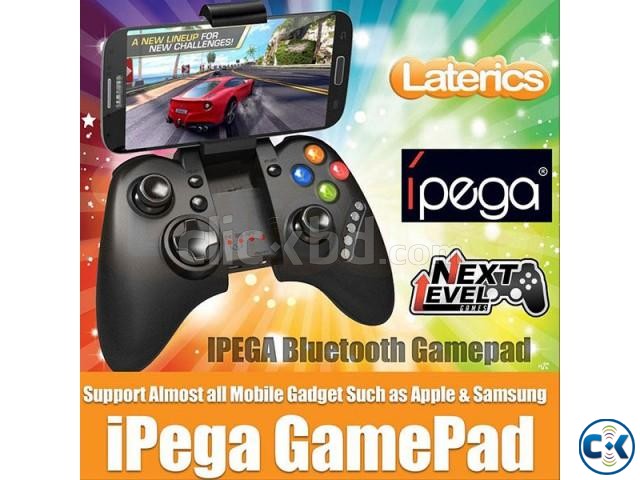
Brand new
iPEGA PG-9021 Bluetooth Wireless Game pad
Lowest price in Bangladesh:
Highlights
- New/Used: New
- Type: Wireless Gamepad
Seller info

Description
DESCRIPTION for iPEGA PG-9021 Bluetooth Wireless Game pad price in Bangladesh
|
This product is a new wireless Bluetooth controller which supports different Android, iOS and PC games. * It can be used when connected with the Bluetooth mobile phone and without any drivers. * Exclusive gaming application platform, the classic hand travel under control (ipega game lobby only for Android platform). * Built-in lithium battery (380mAh). After charging, it can be sustainable for 20 hours. Safe and stable. * With telescopic stand. Mobile phone or tablet can be placed in the bracket (maximum support for 6-inch mobile phone). * With "volume +, -,"last ","next ""Play / Pause", total 5 multimedia function keys (This function is incompatible with Y key mode). * Bluetooth 3.0 wireless transmission can support 6-8 meters wide range of control from the operation. * User-friendly software designed to enter the power saving mode with no connection state. Modes: X. GamePad Mode: (Only Android 3.2 + versions supports this mode) when the handle turn-off, first press the "X" key, then press the HOME key, Bluetooth LED indicator flash, the handle enter into the pairing mode, turn-on the phone and search for Bluetooth devices "ipega classic gamepad" and pairing, if the pairing is successful, the LED indicator will be bright, the handle will be in the GamePad mode. A. Keyboard Mode: (suitable for Android system) When the handle turn-off, first press the "A" key, then press the HOME key, the Bluetooth LED indicator flash, the handle enter into pairing mode, turn-on the phone and search for Bluetooth devices "ipega classic gamepad" and pairing, if the pairing is successful, the LED indicator will be bright, the handle will be in the keyboard mode. B. iCade modes: (suitable for iOS system) When the handle turn-off, first press the "B" key, then press the HOME key, the Bluetooth LED indicator flash, the handle enter into the pairing mode, turn-in the phone and search for Bluetooth devices "ipega classic gamepad" and pairing, if it is success, the LED light will be bright, the handle will be in the iCade mode. About Input Method Setting: Using the controller to play game should set the phone or notebook input method to be default as English language input (for the iOS system, be sure to switch the input method, and then pairing. If not, the handle does not work properly). Charging Controller: When the controller is a low battery condition, the charge indicator is start blinking, please accessing the controller to 5V power supply for charging (PC device or mobile phone power adapter). Process of charging, the charge indicator of the handle is Orange and keep long bright, saturated power LED goes. Switch On/Off the Controller: Press the "HOME" button for about five seconds, until the LED red light flashes slowly. It means that the handle is turned on (the default the last boot mode), the boot handle will automatically paired with the phone connection. If the connection fails, the handle will automatically shut down. Press "HOME" button for 3 seconds until the Bluetooth LED is off, it means shutdown is successful. If the phone is not unpaired connection when controller shutdown, just do it again. Connect the PC: Open the device's Bluetooth PC program, and select the "X, A" in either mode can be paired with (and does not have a Bluetooth PC devices need to use the Bluetooth receiver). Note: To change the controller function mode, please turn off the controller firstly and cancel the Bluetooth pairing, then in accordance with the operation mode to replace the steps. The Reset Switch: When the controller cannot operate normally, please use the paperclip to touch the reset switch on the left corner of the grip back when the grip cannot shut down or crash. Compatibility Android 3.2 or 4.0 and above iOS 4.3 and above Windows XP Windows 7 Windows 8 Android TV Box or Android TV WHAT'S IN THE BOX 1 x Bluetooth Controller (Black) 1 x USB charging cable 1 x Manual |